5.2 Process Document
5.2 First Day Reflection
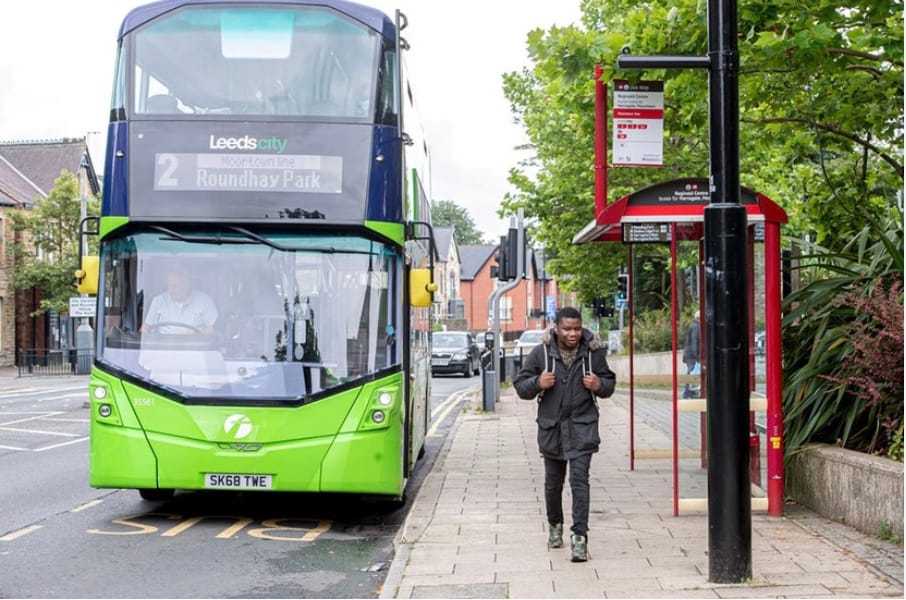
NeuroDiversity Task
With My Group we explored how public transport can affect people in different ways. For the start we used our phones for research and began searching up pros and cons and what needs t0 change for accessibility and navigation. Additionally, The software we used was keynote as it is easier and more simple.
5.2.2 Research 3 Things
The Black Phone Advertising Photo

Director - Scott Derrickson
Poster Designer - Matt Ferguson
Movie Studio - Universal Pictures
Poster Studio - Blumhouse Production and Crooked Highway
What Tools were used - Adobe Illustrator/ Photoshop/ Indesign.
Adobe Photoshop: This is the main tool for photo manipulation, compositing various images (like the actor's image and the background elements), applying special effects, textures (such as grunge or photo print scratch layers), and colour grading to achieve the desired mood and retro look.
- Adobe InDesign/Illustrator: These programs might be used for precise typography and layout of text elements like the title, tagline, and credit block.
The filmmakers of The Black Phone (2022) used a blend of modern digital cinema technology for the main narrative and vintage film equipment to achieve a specific 1970s aesthetic for the dream sequences.
If I wanted to start making work like this, Where would I begin ? -
To start making movie posters like The Black Phone, I should first understand the key design principles of the genre, learn to use graphic design software, and practice recreating the specific visual elements and style.
developing skills in graphic design fundamentals, digital illustration/photo manipulation, and using professional design software, primarily Adobe Photoshop. The poster style is retro/vintage horror,




Nike Poster Brand for Project Amplify - World First Powered Footwear System
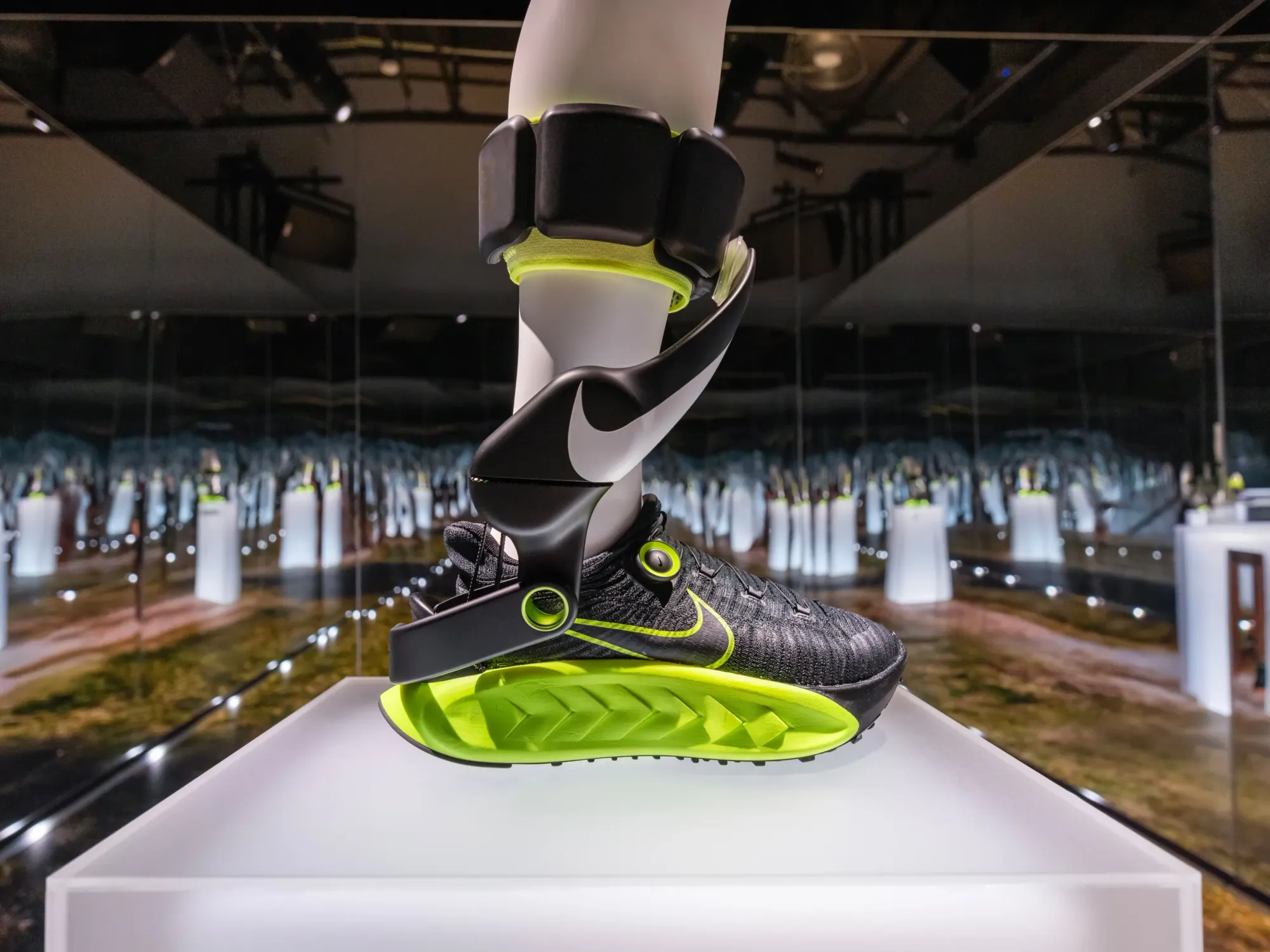
Who Created Them - The Robotics Company Dephy
Nike's "Project Amplify" is a powered footwear system that uses robotics and motion science to assist movement for everyday runners and walkers.
Robotics System: The core of the technology is a lightweight, external robotic brace/anklet that works like an exoskeleton to provide a "bionic boost" to the wearer.
Motor: A compact, powerful motor located near the ankle or calf area is used to provide the mechanical assistance
Drive Belt: A drive belt is part of the internal mechanism that transfers power from the motor to assist the movement of the foot and ankle.
Video Assistant Referee
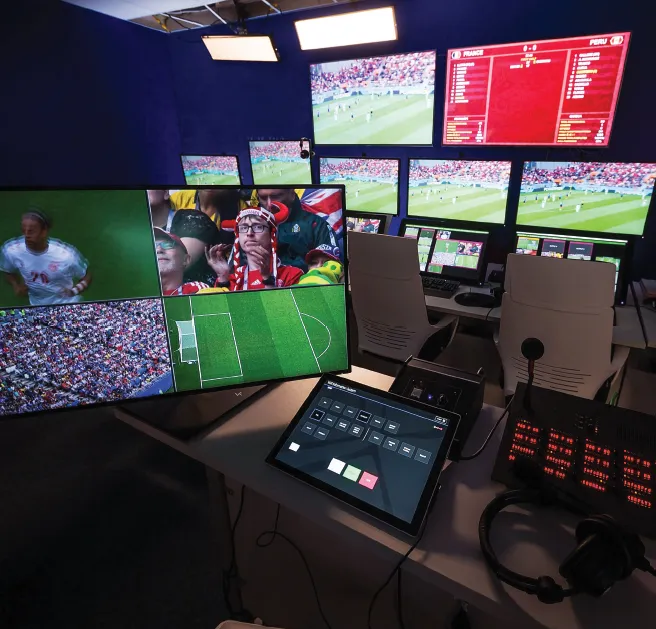
The Video Assistant Referee (VAR) technology used in football was conceived and developed by the Royal Netherlands Football Association (KNVB) as part of their "Refereeing 2.0" project in the early 2010s.
The technology for the system currently used in FIFA competitions is provided by British tech company Hawk-Eye Innovations Limited.
Video assistant technology (VAT) relies on a combination of specialised hardware for capturing and displaying footage, and sophisticated software for analysis, playback, and communication. Techniques vary by application, ranging from simple playback for continuity checks in filmmaking to complex AI analysis for real-time decision-making in sports or healthcare.
Real-time Capture and Playback: Recording camera feeds onto high-capacity storage (hard disks) for immediate review and continuity checks.
Multi-angle Review: Utilising feeds from numerous cameras, including slow and ultra-slow motion, to gain comprehensive views of an incident or movement
Artificial Intelligence (AI) Tracking and Analysis: Employing AI and computer vision (e.g., Pavo's AI tracking, Google Cloud Video Intelligence) for motion detection, shape recognition, object detection, and face/number plate recognition.
5.2.3 Work Flow
What Part of My Practise Makes Me Feel Most Engaged and Creative ?\
The part of my practise that makes me feel engaged and creative is the experimental and design process as it provides creative freedom, and helps me learn about different methods I am not sure about for continuous learning. The key to my thinking is to learn new techniques, unconventional approaches and correcting accidents that go wrong.
When Do I Actually Feel Your Designing.
I feel like I am designing when I understand the brief and generate creative ideas.
What Pain points do you identify in your own workflow, where does work get messy, stuck, repetitive, confusing ?.
My Pain points In my workflow where work gets stuck is when I cant find a certain source, research or understand a brief properly so then I need guidance.
What sort of tasks slow me down ?
The tasks that slow me down are the researching aspect as it is in my opinion the most challenging for me and the one that lets me down if I do not get in the right mindset for it. Also distractions pull me out of flow if its important.
What Tools, Techniques or Strategies did I find in my research?
For my research I thought exploring the browser was helpful as it has got a wide range of different sources and references. It was important that I understood all software like Adobe InDesign as they offer amounts of tools to use. When it came to the strategies for my research, using colour and the right layout design and understanding the roles of them helps with composition and visual effect.
5.2.4 Task Generator Safari
Munken Website
The Munken Website focuses on experimental with typography and kinetic animations. while other design tools offer a range of tools for different design tasks. Munken design provides a specialised, accessible way of experimental, animated and typography design.
Munken Creator was created by a Swedish paper Manufacturer Arctic Paper in collaboration with agency JUNO. It uses the actual font Munken sans as its foundation.
Munken Creator could be useful for a few things including : generating ideas quickly and putting them down, solving problem simples using in built technology.
Using Munken Creator can help shift my creative role from a normal designer to a problem solver and instead of focusing on one experiment or every detail, I can set goals and define expectations to make the software my partner.

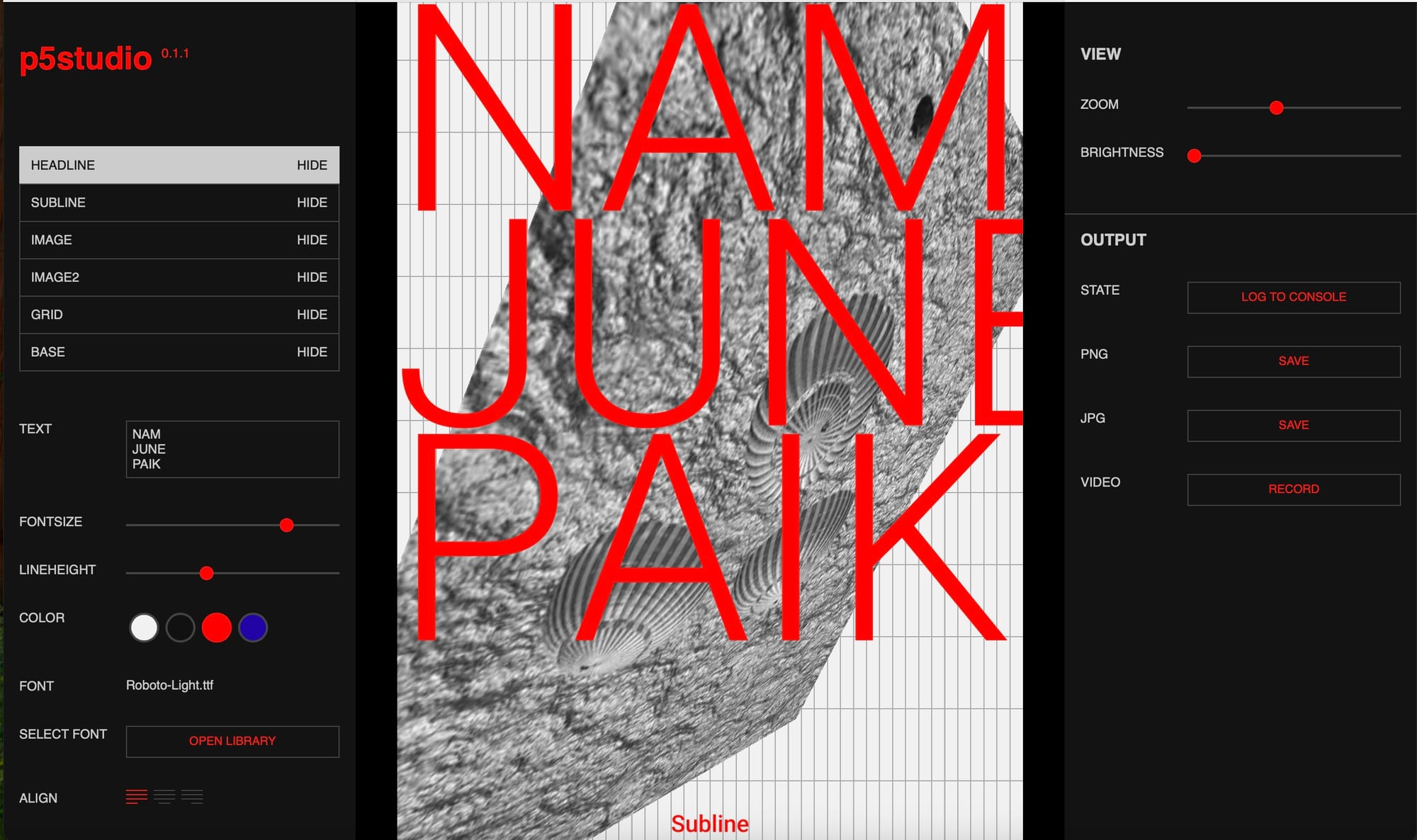
P5 Studio
P5 Studio is a web based design software tool designed to showcase the technical and creative ways of using p5 vectors. It functions as a platform base for generative art and interactive web
How can it help me
It can help me by bringing my ideas and designs into real life using code. Because it runs exactly from the browser, it doesn't require any installation. it's easy to access if you wanna share your work with other people as all you need is a link.
Also, when I opened the software tool it simplifies the coding with pre written functions for drawing, colour and managing interactively.
5.2.5 4x6
What I am proposing is a Graphic Dashboard of the traffic in Leeds, for this I will use bar charts, pie charts. The audience for my selection will be learner drivers and experienced drivers as they need to know about upcoming traffic and busiest areas. The 2 picks I have chosen combine well as it shows Real time Information, Average speed of car movement and what vehicles are on road the most.
I got my information from data.gov.uk so I am backing up my evidence. The first job would be to make sure my data is in a suitable readable format, In addition to this, Time of day and road names would be helpful.
The software I could use for this would be Canva as it has in built templates for dashboards and it is easy for non designers.

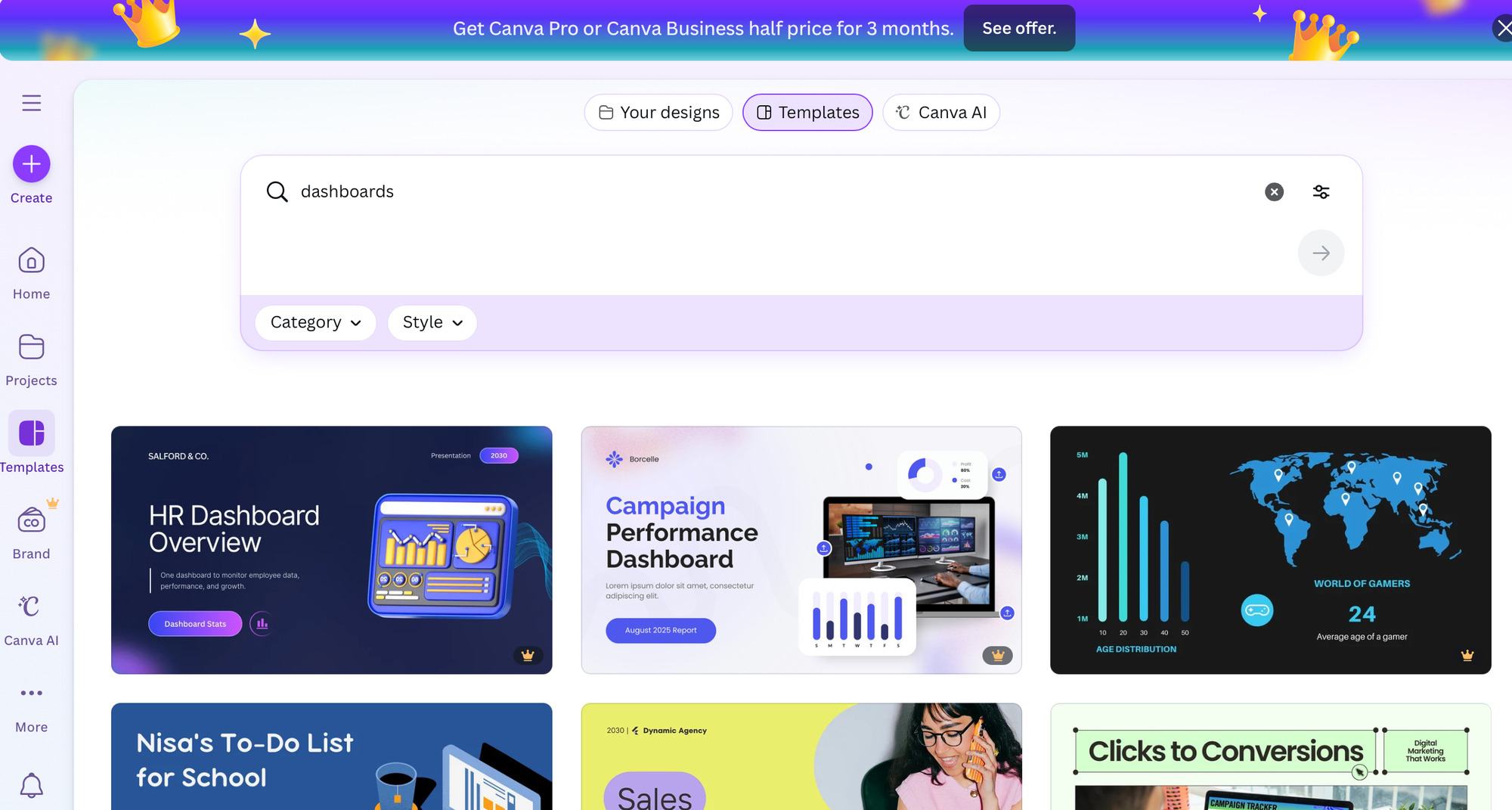
I used a Template on canva to quickly make a homepage/summary of what I will want my proposal to look like, the colour choices are bold, clear and give the readers a powerful message when moving forward.
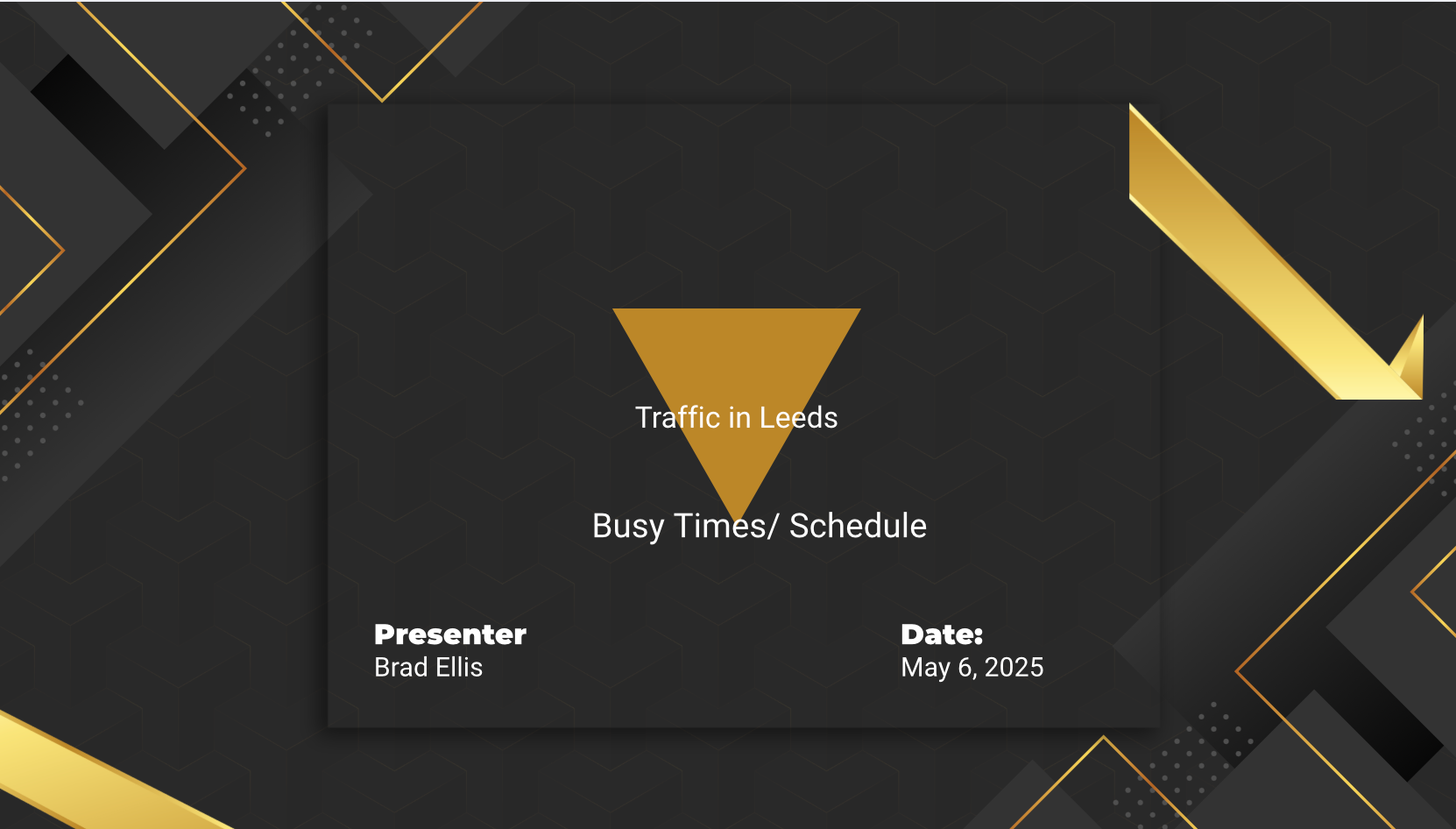
The templates are used for a starting point without needing any extensive research. They are also a very powerful tool for individuals and businesses to quickly produce professional products while keeping the brand identity.
5.2 Workshop Work
On Tuesdays I do sessions working on various aspects including 3d, animation and motion graphics, these are screenshots looking at aspects of work.
This is an activity we did using a pre organised task we had last year which we went back to experiment further. The software we used was jitter but was connected to figma. The idea was all the circles are planets and we needed to make each of them move in a different way.
After Effects Workshop
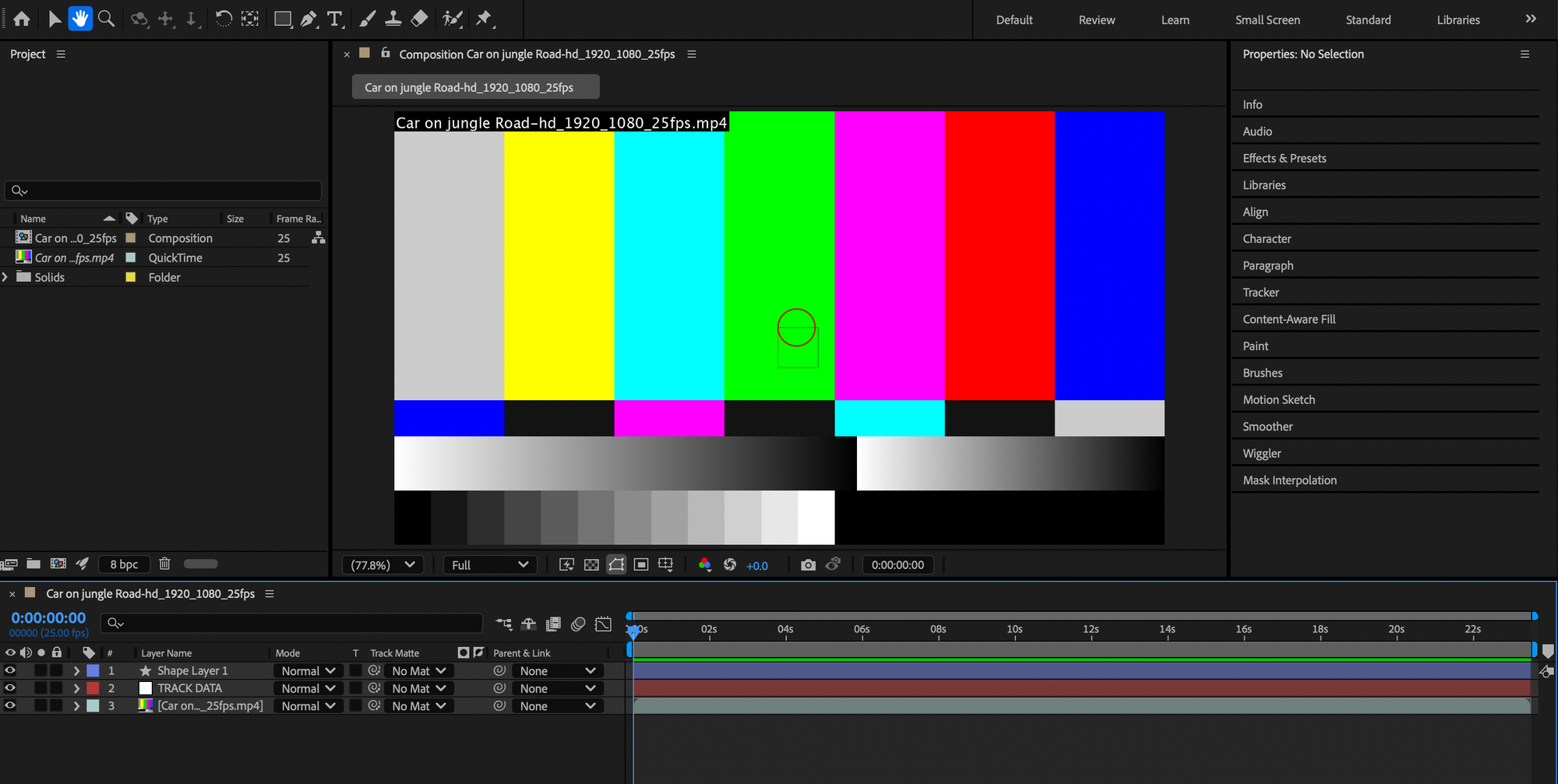
For this project we used After effects to make a car go straight a forest road with a line attached to it as it travels. As you can see, as I loaded up the file It has crashed and not showing the correct picture but the components and effects are in the right place. Adobe After effects helped me with my spacing, animation, timing and communication, it also gives me total control of any animation aspect and effect. Overall, it opens visual and significant creative ideas and opportunities but requires effort and determination.
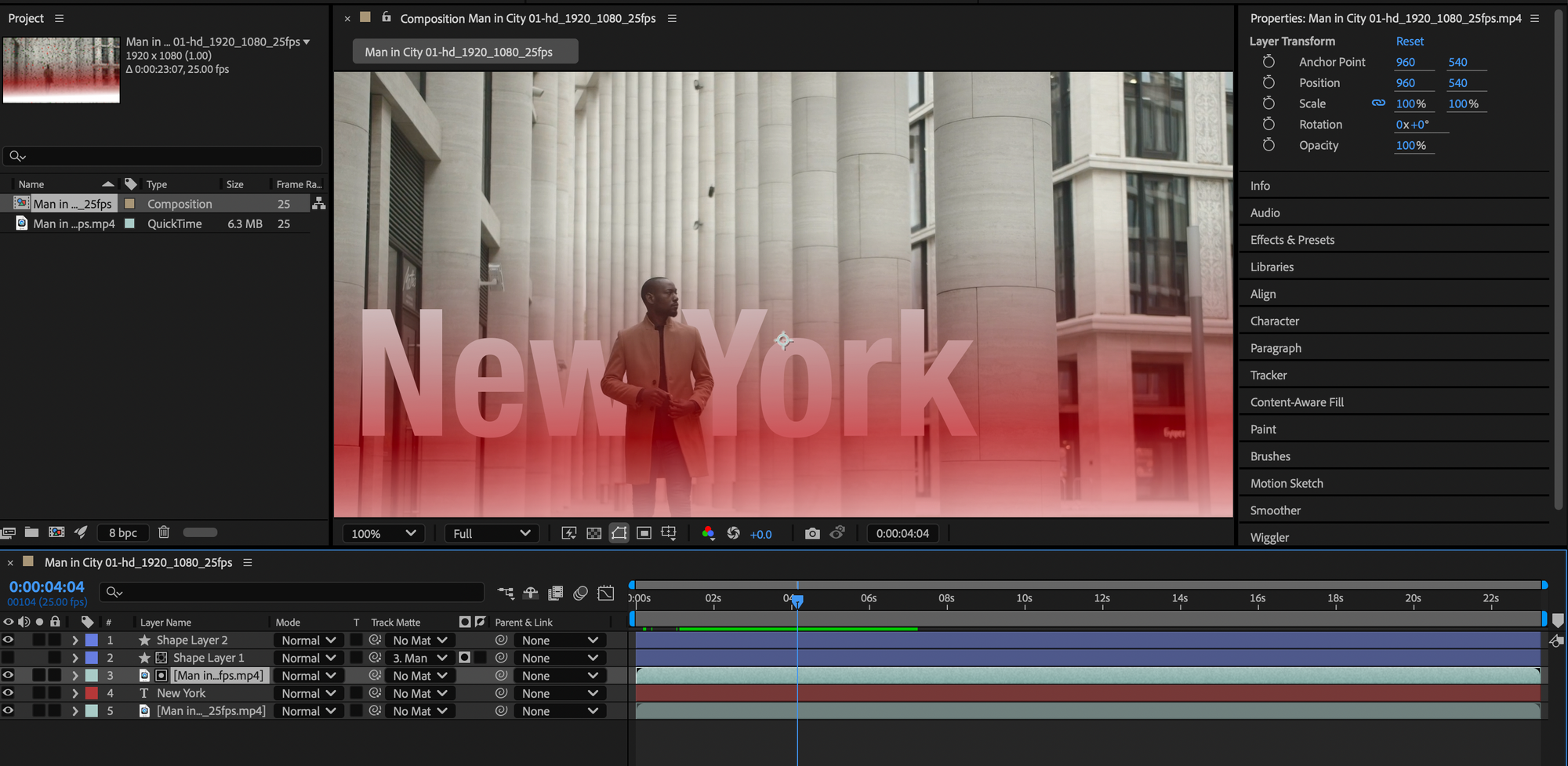
This is another workshop task we did on after effects, this shows a random man who is walking through industrial buildings which we then animated to look like a sort of intro. I placed text over the top to symbolise location. I did not do much animation prior to these sessions as it was not something I was interested in but looking at the outcomes of some of the work and information I took in, I will explore and experiment further In later projects/own time.
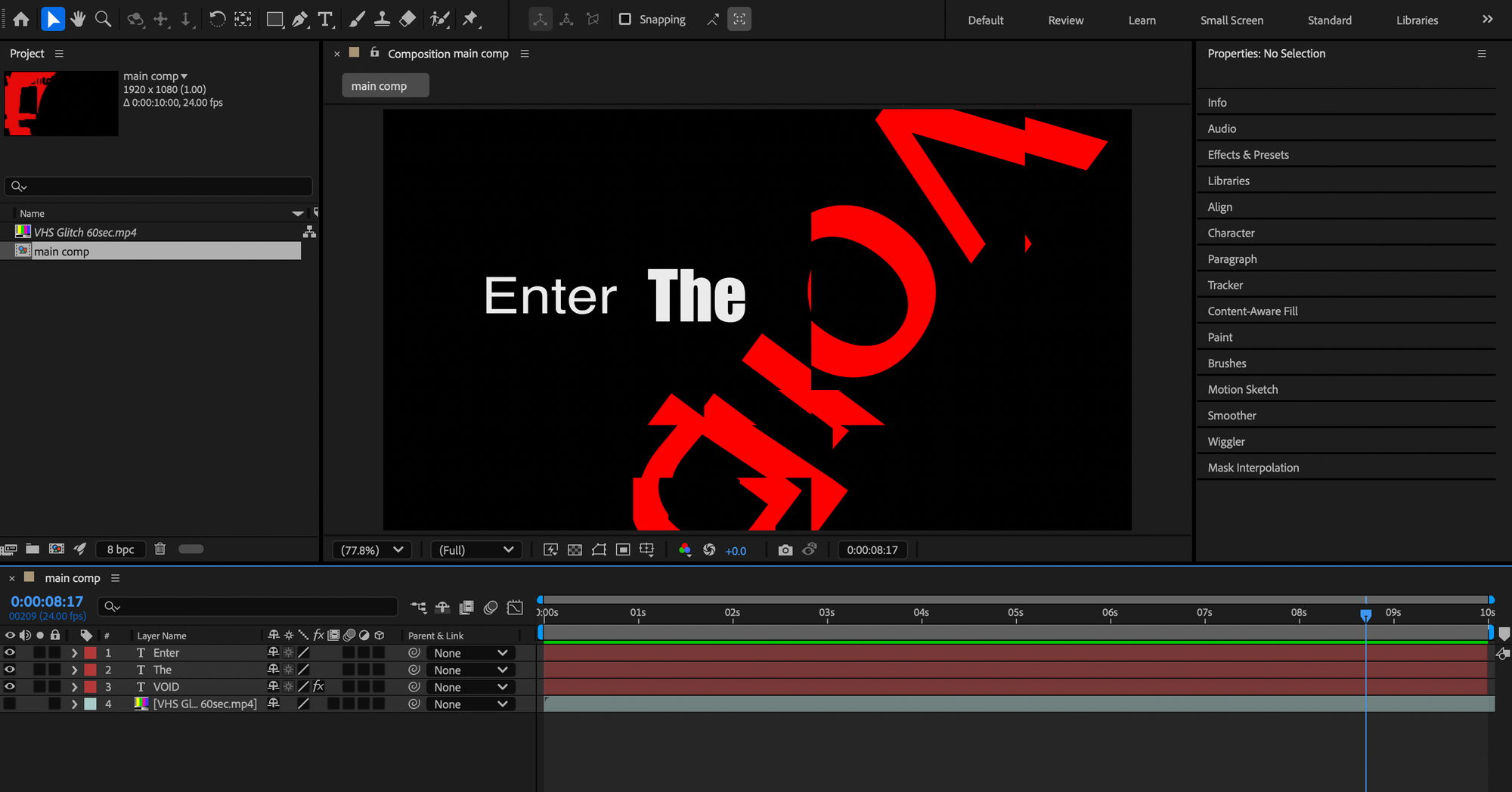
Next, This project is an intro to a text representing different effects, I used scale, rotate and colour to make an equivalence of a film intro. It is flashy as the last word fills the whole screen then rotates a few times to the same size as the others. This was my favourite task as it uses the most experimentation and loads of different ways to make the same outcome.
Overall Conclusion
As digital tools and software continue to get more powerful and better, it gives a better opportunity for learning, creating and problem - solving. whether through emerging fields like artificial intelligence and computing. technology can help you get better and adapt to a changing environment. Embracing technology now and getting used to using it and experimenting will help me in the future.
