5.2 Process Document
I was initially apprehensive about this module, as the concept of integrating new technologies into my creative process seemed daunting and unfamiliar, however, I have overall found the module to be engaging and challenging, as it has taught me that using tools for automation, generation and production can largely benefit not only the quality of my work, but also the process of creating as a whole.
WEEK 1
Public Space, Public Voice
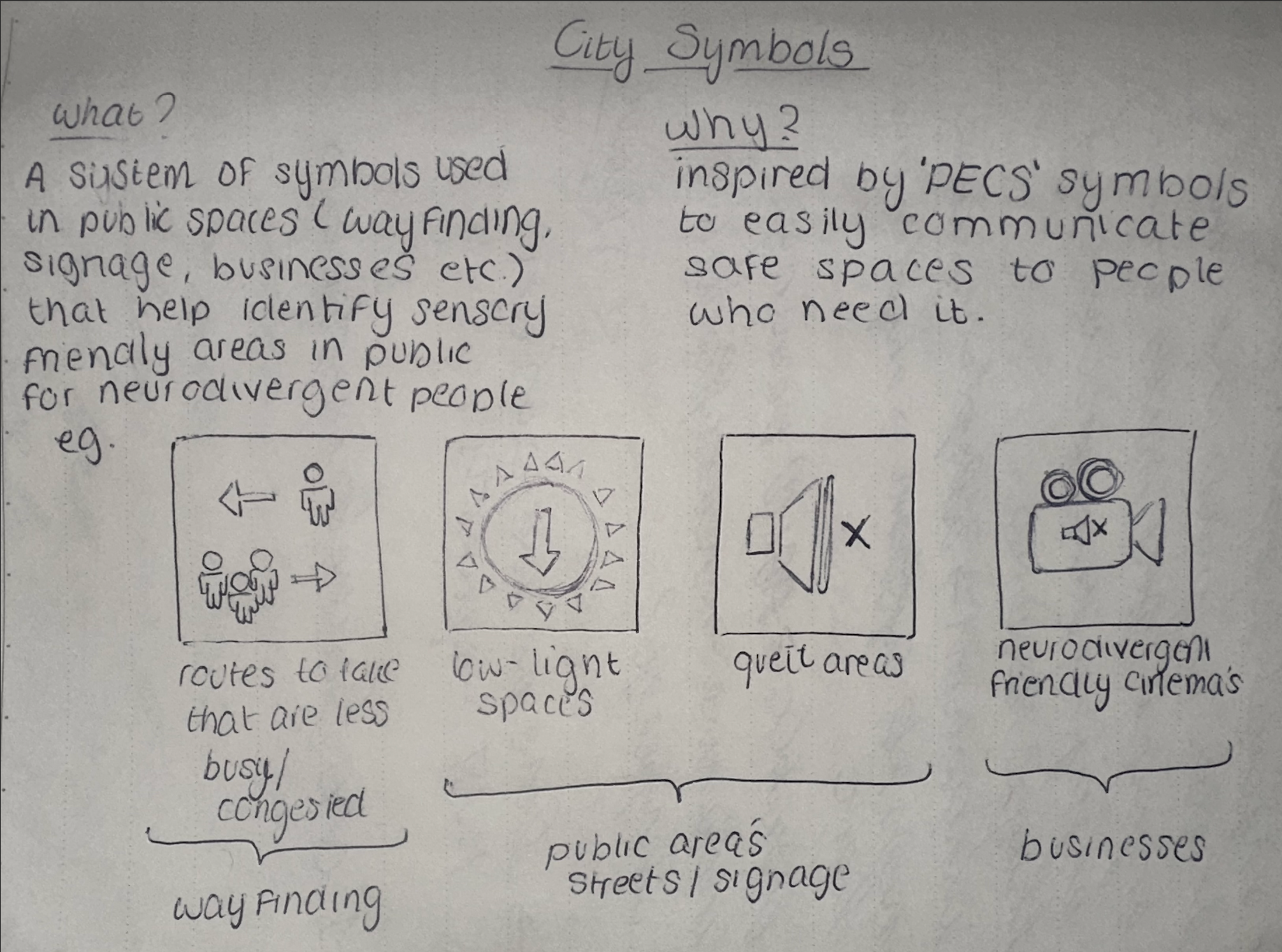
My idea for the 'Public Space, Public Voice' campaign was to create a system of symbols to be used and recognized in public spaces for neurodivergent people to visualize areas and places that accommodate to sensory-friendly needs. These symbols can be used within way finding, street signage, or for businesses who want to signify safe spaces or routes for people who may need it.
WEEK 2
Media Diet
In my 'media-diet', I discussed three significant pieces of media I had viewed within that week: the 'Napoleon Dynamite' title sequence, the 'You should see me in a crown' Billie Eilish music video by Takashi Murakami and a fan-made edit of the show 'The Office US'. All three pieces of media I decided to use were because they were all largely influential to me and drew my attention, and because of this, I found it very interesting to deep-dive into who, how and why they were all made.
When researching, I discovered new information about each piece of media that I had not known previously, and found it engaging to learn about studio's and directors that had a role in creating film and video's that I have been inspired by for so long. But what was really interesting, was detecting the key entry points I would need to create similar work to theirs, and looking into platforms and tools that would help me achieve this. By doing so, I have learned what skills and software I would need to learn to create work with a similar effect, such as AfterEffects and photography.
Jitter Workshop
In this workshop, we used a Figma compatible extension named Jitter to help us animate text and shapes. Despite finding animation intimidating, I thoroughly enjoyed using Jitter, as the software was very simplistic and efficient yet still provided a range of tools to experiment with widely.

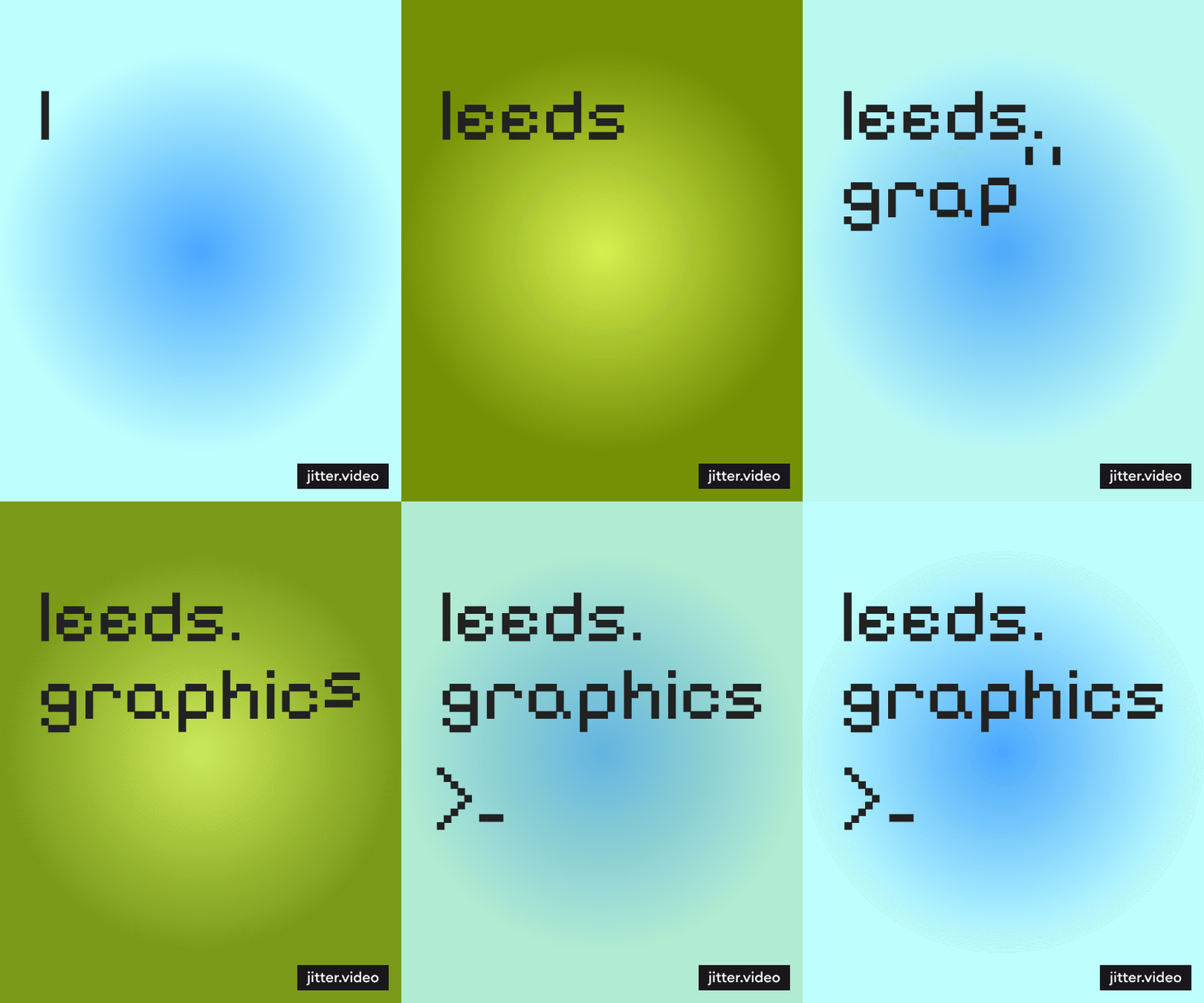

In these experiments, I was using tools to animate the colouring, opacity, scale and placement of the text, and learned how to interact these components simultaneously to reach a result I was happy with. Additionally, I was able to customize the easing on all my animations, and learned how the strength and timing set can impact the end result of the animation.
Jitter is definitely a platform that I will integrate into my work in the future, as not only did the outcome of my work provide a sense of achievement, but the process itself was very enjoyable and efficient. In comparison to other animation softwares, and despite the limited tools available, I feel the most confident using Jitter due to it's condensed and simple design, whilst still providing me with a professional and fulfilling outcome.
WEEK 3
Work-flow
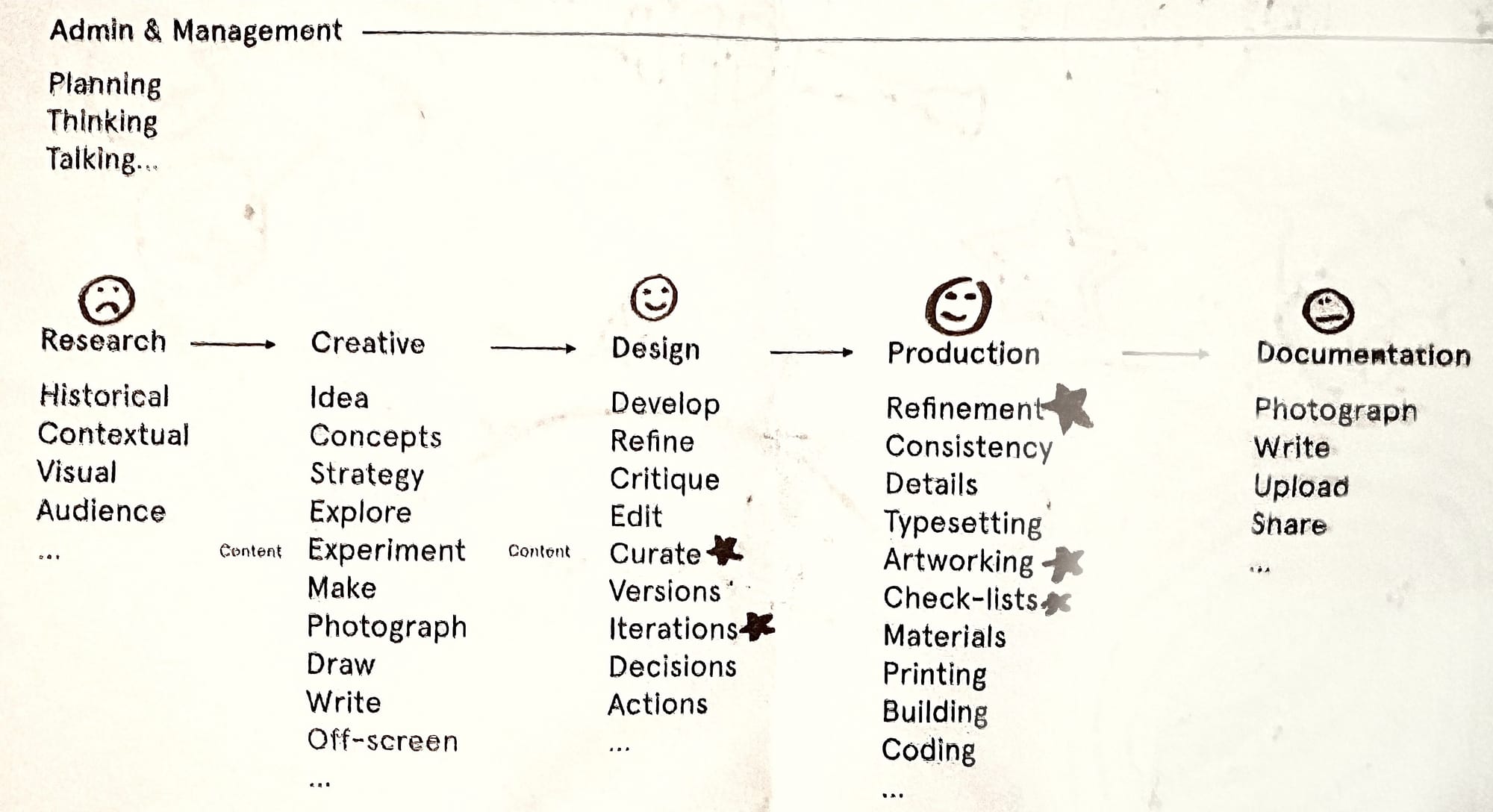
In reflection to my workflow, there are definitely aspects of my process that I find harder than others, and in response to that, I discovered two significant tools that would benefit me regarding main aspects of my work that I struggle with (organization and research).


Implementing Alfred, an App that helps to organize files, apply shortcuts, spell-check etc., into my process will largely benefit all my future work as it significantly increases my efficiency by cutting down the time I spend on searching for files and research when needed; something that was extremely time consuming beforehand.

I also discovered Raindrop.io, a bookmark manager that aims to help with organization regarding bookmarked content such as research, articles, inspiration and more. One of my biggest struggles when creating is finding and using research in the initial stages to develop my work through, and by using Raindrop.io, I have been able to gradually save content that peaks my interest for future use, overall largely resolving my struggle, and making the research stage of my process significantly more digestible.
WEEK 4
Processing Workshop
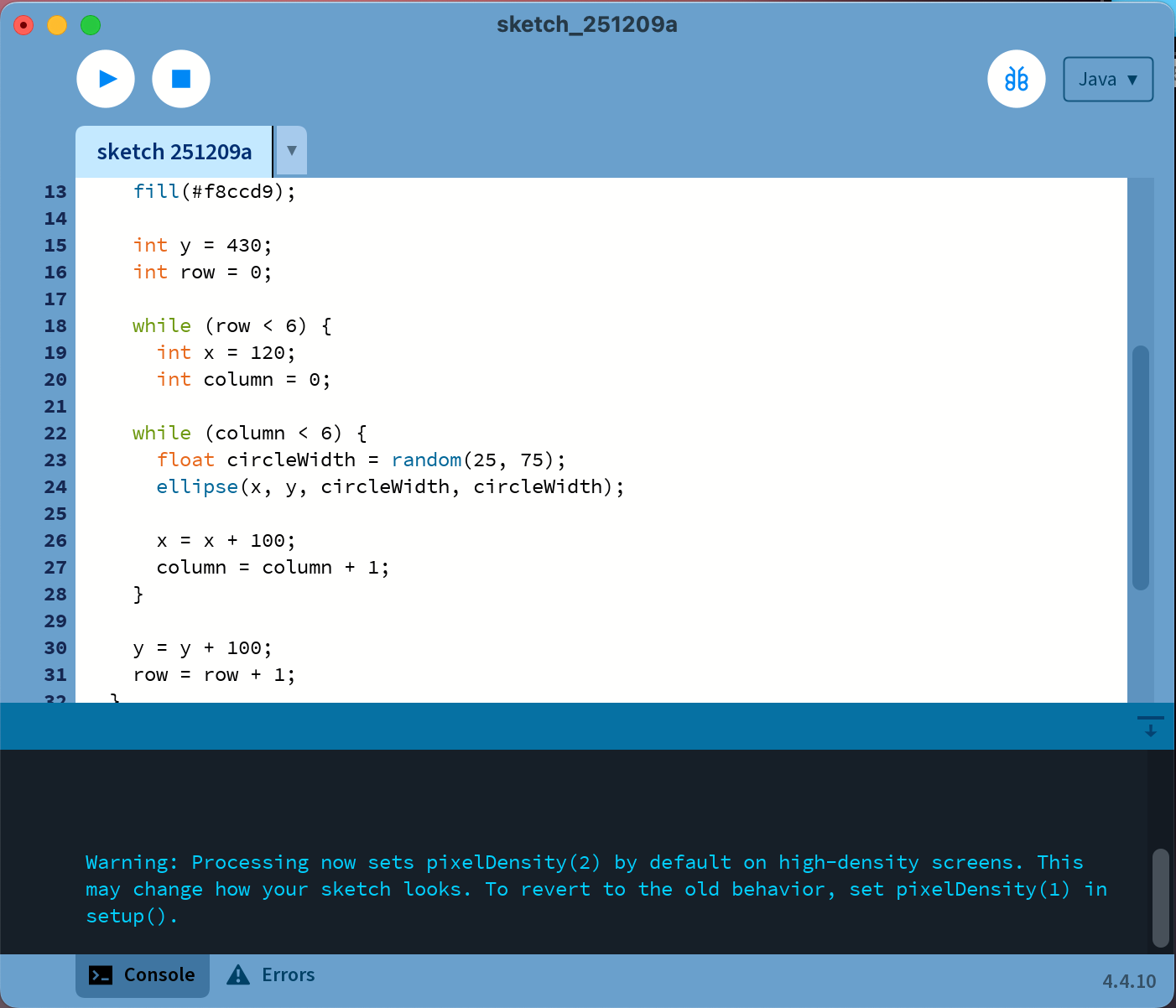
In reflection, the Processing workshop in which we learned how to automate and generate '100 randomized covers' was something I found very difficult and overwhelming. Coding as a whole is something I find largely intimidating, however the workshop did help me become more familiar with writing script, and it's clear to me the benefit this would have when working in industry or in other projects where generating a large amount of work can be automated, increasing efficiency. Despite this, I would need to become much more familiar with writing script to be able to properly integrate it into my process.
Experimenting with Tools
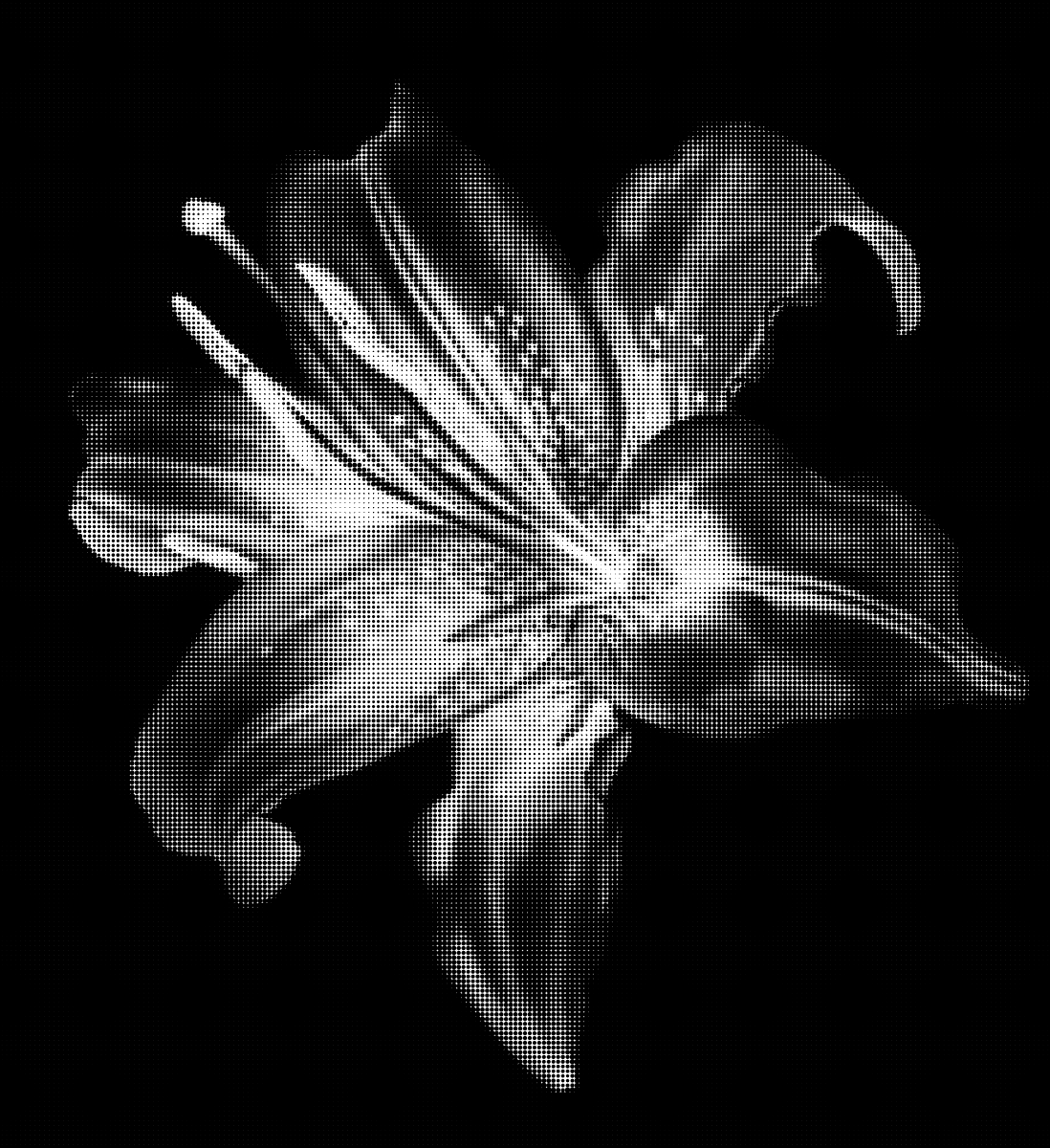
Munken Creator - 'Snow'
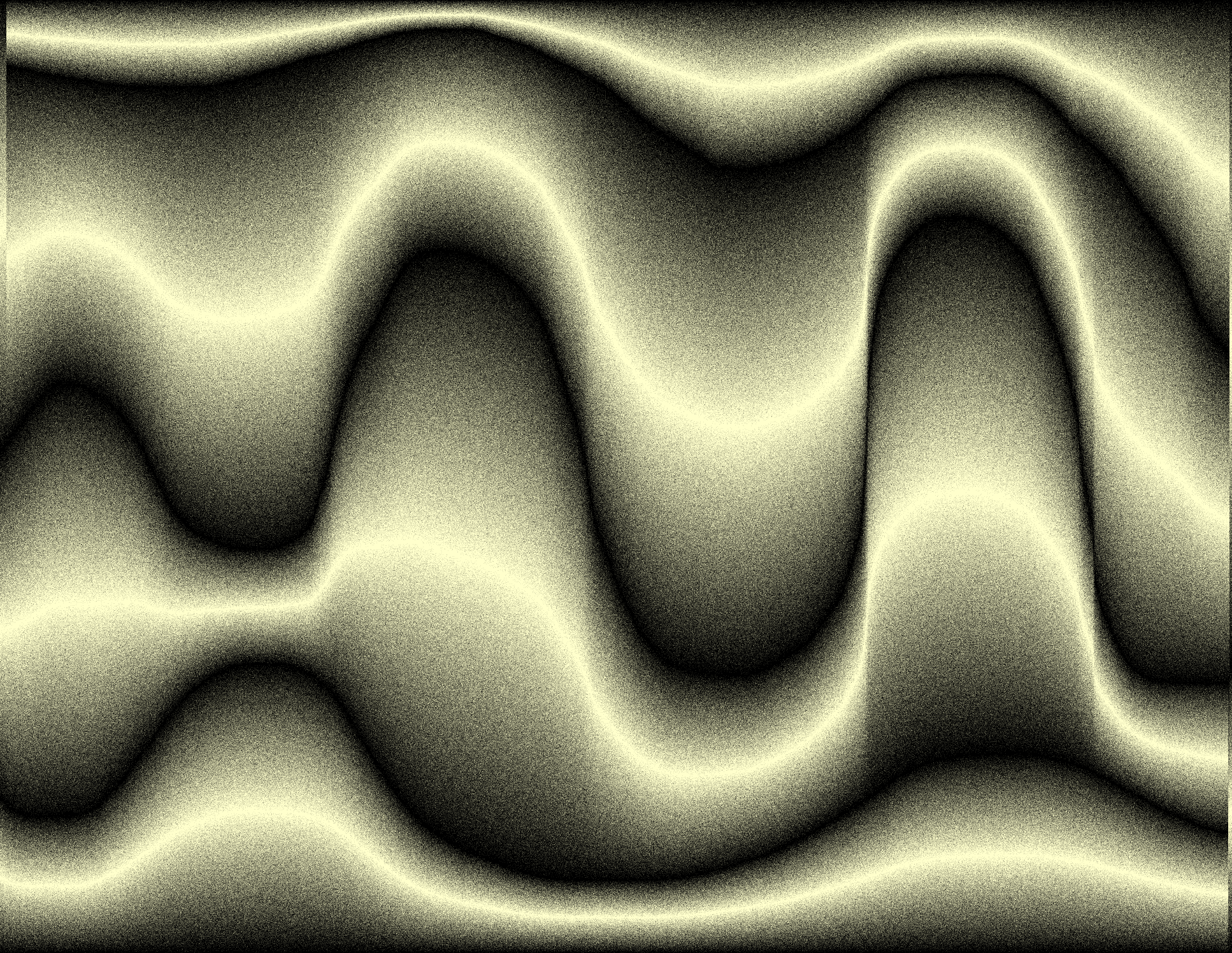
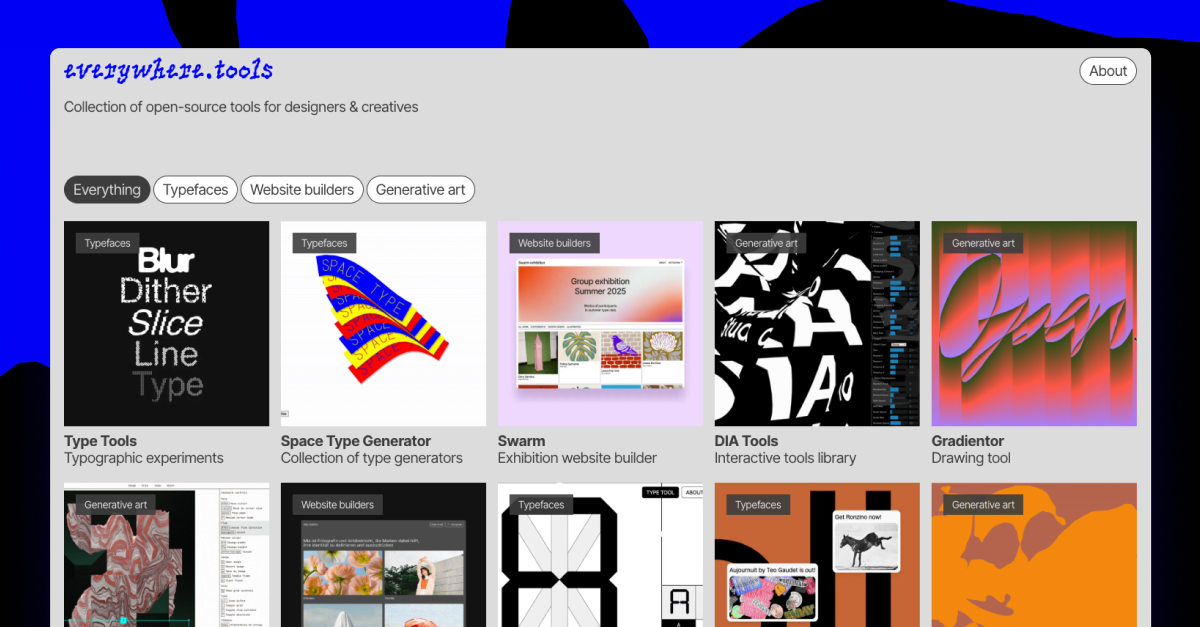
When experimenting with different tools, I primarily sourced them via the 'everywhere.tools' website, leading me to discover a plethora of tools such as Munken creator, Gradientor, Halftone Maker, GridType, UGLYPH and more. Each different tool provided me with new understandings and inspiration, and I overall found it very engaging to be able to create multiple pieces of interesting and unique work so efficiently.
These platforms are definitely something I aim to experiment more with, and overall integrate into my practice in future, as they provided me with straight-forward software that allowed me to quickly test and experiment in various forms, which I believe can inspire and guide my future projects.
WEEK 5
Four by Six
Jitter Animation - 'Let's get Jazzy'
Whilst creating a proposal for this brief, I used Jitter again to help animate words from a poster of my previous typography module. Despite Jitter allowing me to efficiently animate the opacity, movement and easing of the text, I found it difficult to emulate my original idea exactly, when only using this software. In future, I aim to become more familiar with Adobe AfterEffects, as I am aware that the software has a much larger range of tools and settings that would be beneficial to this projects and others, however I am still not fully confident when using AfterEffects.
Animation Workshops
2D Animation practice in Photoshop
In this workshop we used graphic tablets and Adobe Photoshop (using the feature 'onion-skinning') to develop short animations. Despite my apprehension towards animation, once I got familiar with the process, I thoroughly enjoyed creating it as it reminded me of an old project I did in college using the software Procreate.
Animating Text in Adobe After Effects
During this workshop we used AfterEffects to animate type using scale, rotation and movement alongside key-frames to create an overall motion-graphic. In reflection, I found this quite difficult, and struggled with using the software itself. I found that the process of creating something via AfterEffects can intimidate me, which I believe through more practice and research, I can resolve. Despite animation not being one of my strengths, I find that I always feel accomplished with the end product, and want to develop my skills more in order to be able to accurately execute my ideas through the software.
3D Animation using Cinema4D
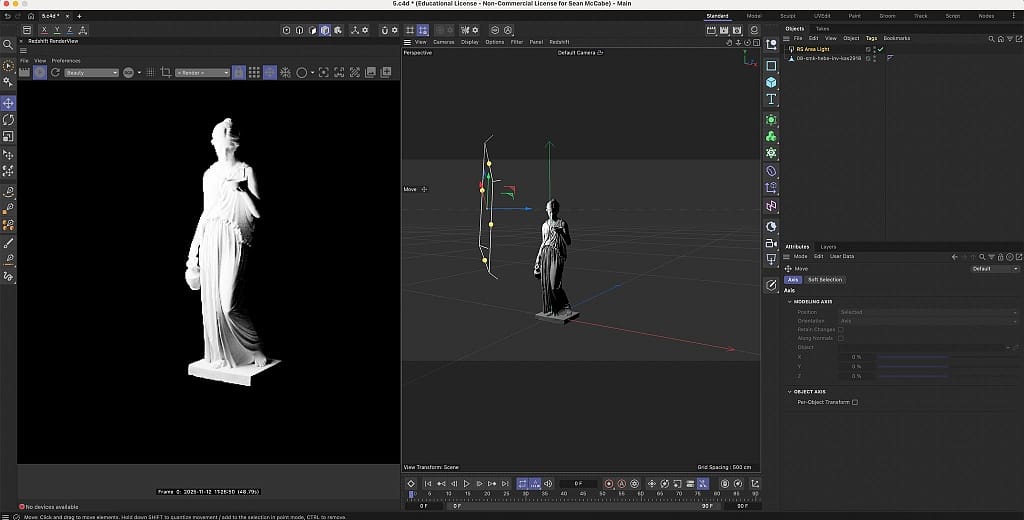
In these workshops, we used Cinema4D to generate 3D visuals and type. I particularly enjoyed adding lighting to my statue, as well as customizing 3D materials to add to the objects I was rendering. 3D graphics was completely new to me prior to these workshops, and therefore I found it difficult and time consuming to do basic things such as changing the perspective, or applying effects accurately, however I took interest in how extensive the software is, and would aim to better my skills in order to integrate Cinema4D into future work.
Conclusion
Understanding the Technological Landscape
Currently, technology plays a massive role in my design process, as it has always been integrated within my work via basic tools to help organize and inspire my projects, or softwares that I use to digitally create and compose. I believe that as a designer, using established tools such as Adobe software is a necessity, and prepares me to work in industry, as often times, these tools are industry standards. Despite this, emerging technologies, such as AI, can often go uncredited or spark controversy, despite the fact that in most cases they largely benefit the creative process of many designers and resolve limitations caused by older tools.
Nevertheless, I aim to not over-rely on these tools in specific, as I believe that there is an extent to where the over-use of tools such as AI can cause damage to creativity and de-value design work as a whole. In an aim to challenge the 'defaults' of these tools to maintain creativity, I try to limit the use of these tools, and only implement them into aspects of my process that I struggle with, or could use to become more efficient.
Engaging with Emerging Technologies
An emerging technology that I frequently engage with would be AI, as the tools and support it can offer is basically endless, and it continues to develop new aspects constantly. Despite this, there are undoubtably a plethora of concerns when it comes to the use of AI. Due to the fact that AI uses existing artwork to generate it's outcomes, there is an ethical debate regarding how it 'steals' work from uncredited designers, as well as the fact that the use of AI can be perceived to diminish any aspect of creativity, as prompting it to generate work gets rid of the creative process as a whole.
With the rate that AI is developing, it's no question that it has and will largely impact the graphic design industry, however it is hard to determine what the extent of this will be. I believe that without regulation, it's highly likely that the over-use of AI will cause more damage than good to not just the graphic design industry, but to all creatives. Because of this, I aim to only use AI in terms of automation of processes, or for inspiration regarding research, however will always avoid using it to generate full pieces of work.
Reflection
Overall, I have found this module extremely engaging and interesting, as well as useful, as I have discovered and learned how to implement tools that will largely benefit my creative process. Before starting this module, I was apprehensive due to the fact that I often struggle to quickly pick-up new software and tools, as well as being slightly conservative of my work process, however I have come to learn how to find and use tools that specifically help me become more efficient, and resolve aspects of my work that I struggle with. In my future work, I can now use the tools and softwares that I have found within this module to adapt my process and outcome in order to not only help me reach the best outcome, but make the process of doing so as efficient and enjoyable as possible.
