2D Motion Graphics: Screen Graphics
In the recent motion class we looked at a UI's, HUD's and HMI's; all of which are used and important in film, television, advertising etc. What is UI? User interface (UI) design is the process of creating the visual and interactive elements of a digital product, such as a website or app, focusing on how it looks and behaves to the user. What is HUD? A head-up display (HUD) projects key driving information, such as speed and navigation directions, directly into the driver's line of sight, usually by displaying it on the windshield or a small panel above the dashboard. What is HMI? An HMI, or Human-Machine Interface, is a user-friendly interface that allows people to control and monitor complex systems, machines, or devices.
Now, what I'm explaining isn't absolutely everything as much as I'd like to know everything but I do think they're extremely important in today's industry; it always has been and it's development have changed the industry in amazing ways. Notable studios I this niche include:
Territory studios - Known mainly for FUI work in major films such as the Marvel Cinematic Universe with films such as Avengers: Age of Ultron, Guardians of the Galaxy as well as independent films like Dune and Blade Runner 2049. (https://territorystudio.com/project-category/screen-graphics/)
Perception - A New York-based design firm that has created the iconic holographic interfaces within the Marvel Cinematic Universe surrounding characters like Tony Stark/Iron Man and Black Panther. (https://www.experienceperception.com/work/technology-reel/)
Blind Ltd - This studio has created notable FUI visuals for films such as Total Recalland other projects. (https://www.blindltd.com)
PUNCHev Group - Specialises in crafting immersive user experiences and seamless UX/UI design integration for visual narratives in media and film. (https://punchev.com/ux-design-for-media-and-film)
Vincent Studios - Offers design, animation, and VFX services for film, including UI design. (https://vincentlondon.com)
Here some example of the studios work below:
Each film demonstrates a unique shape language and that is evident in the work that these studios create; I've tried to create a simple example of this in the motion tutorial but I will say I struggled. I think it turned out okay and I'm pretty happy with it but I could go on to practice some more (my rough draft below):
I do then develop it further by adding a line and other edits surrounding the transitions; I think they've turned out really nice looking for a first try. I also added a little bit of a faint colour in the background of the square to add to it a little more; just little details.
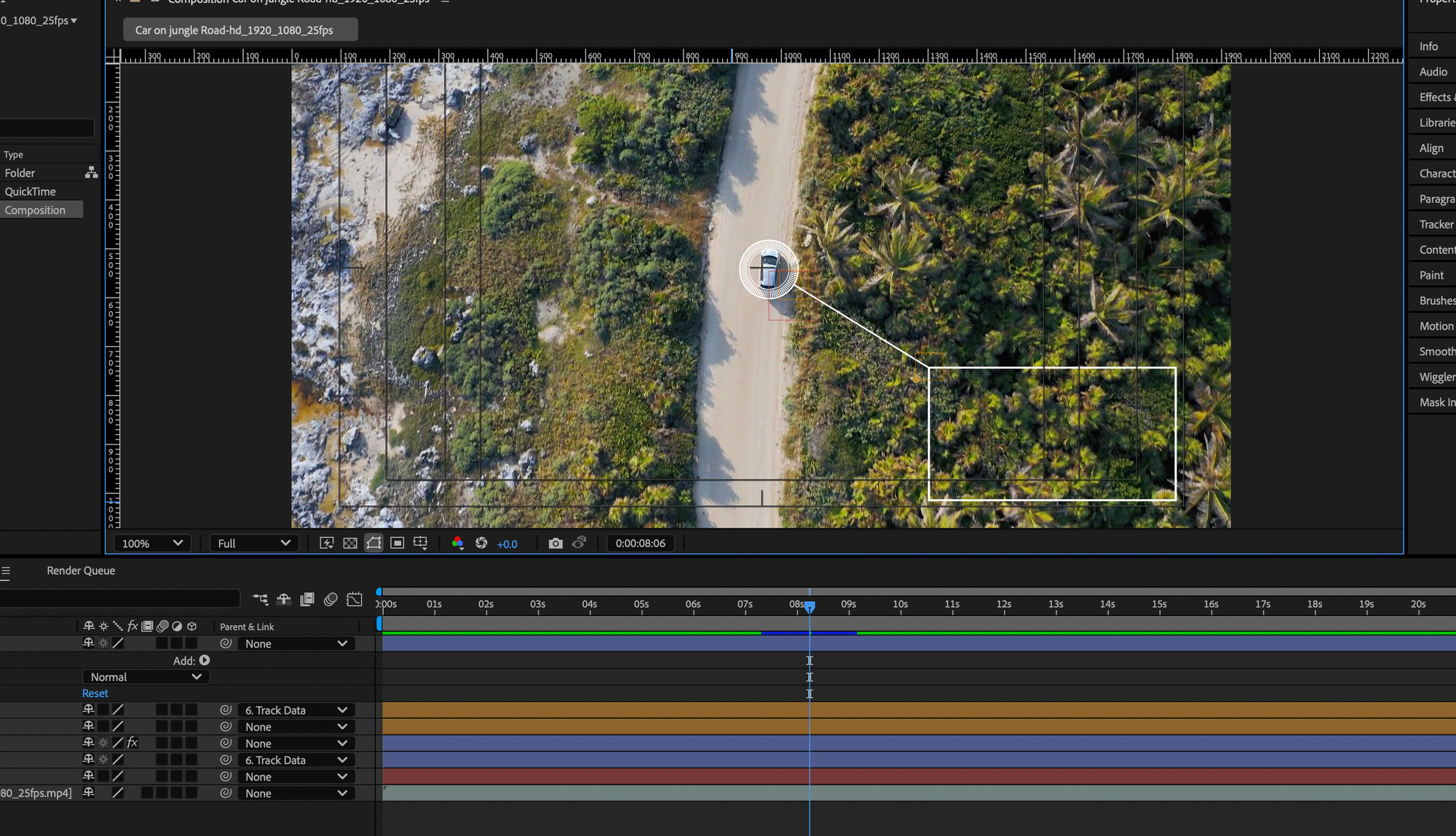
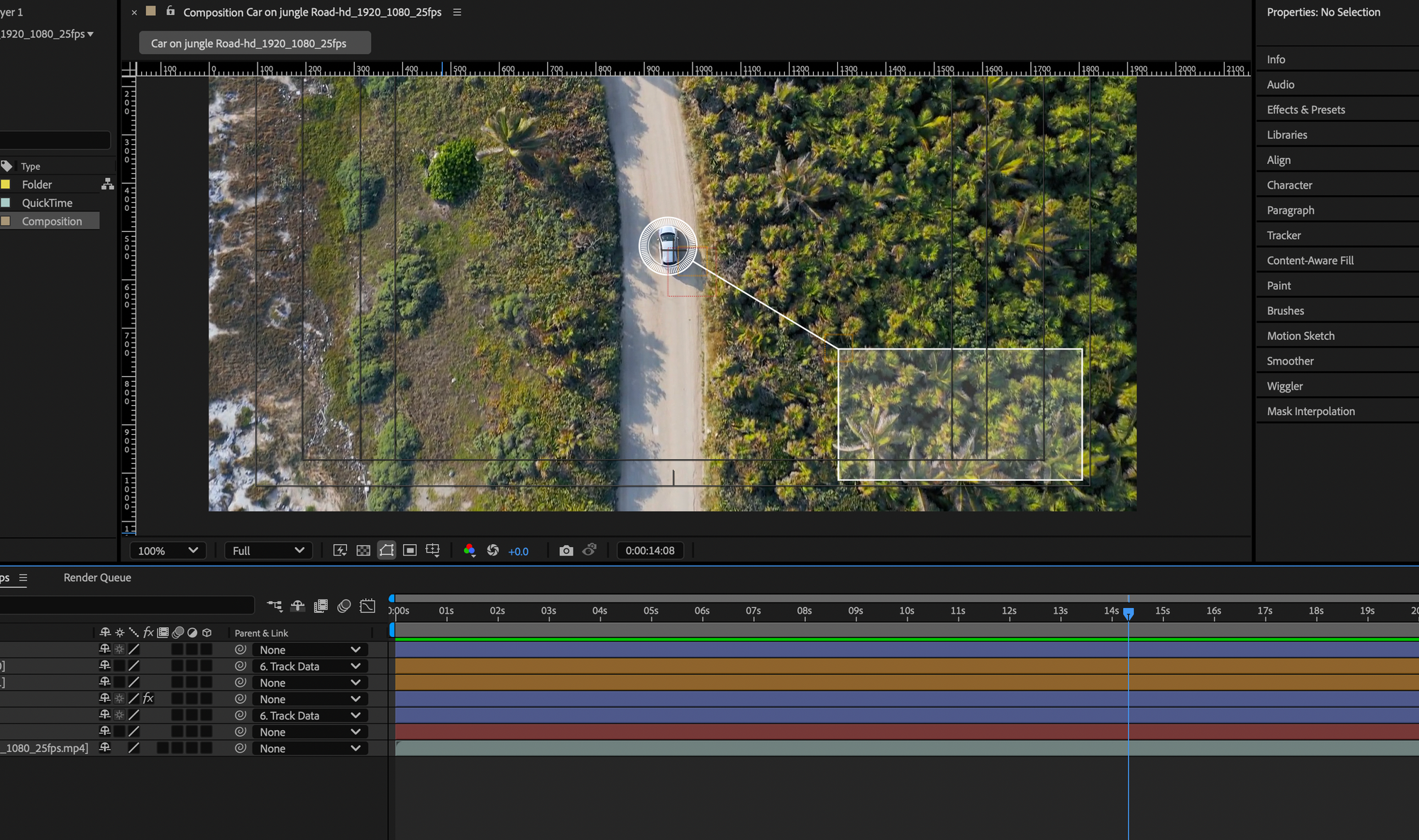
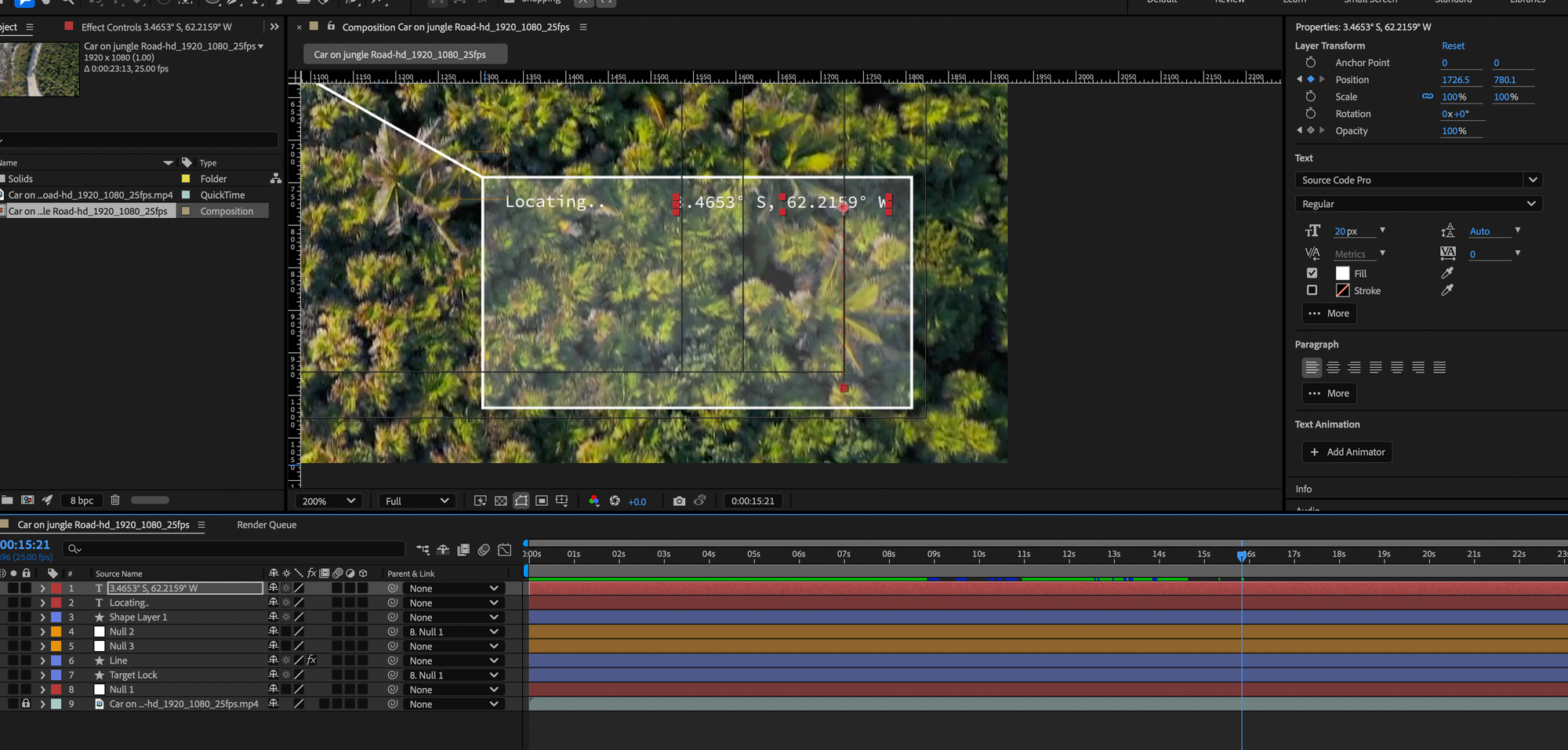
After this point I added some text bits to the clear box that include: co-ordinates, vehicle information and some other random things that aren't exactly accurate. I did also edit the opacity and position of the text to make it seem seamless.
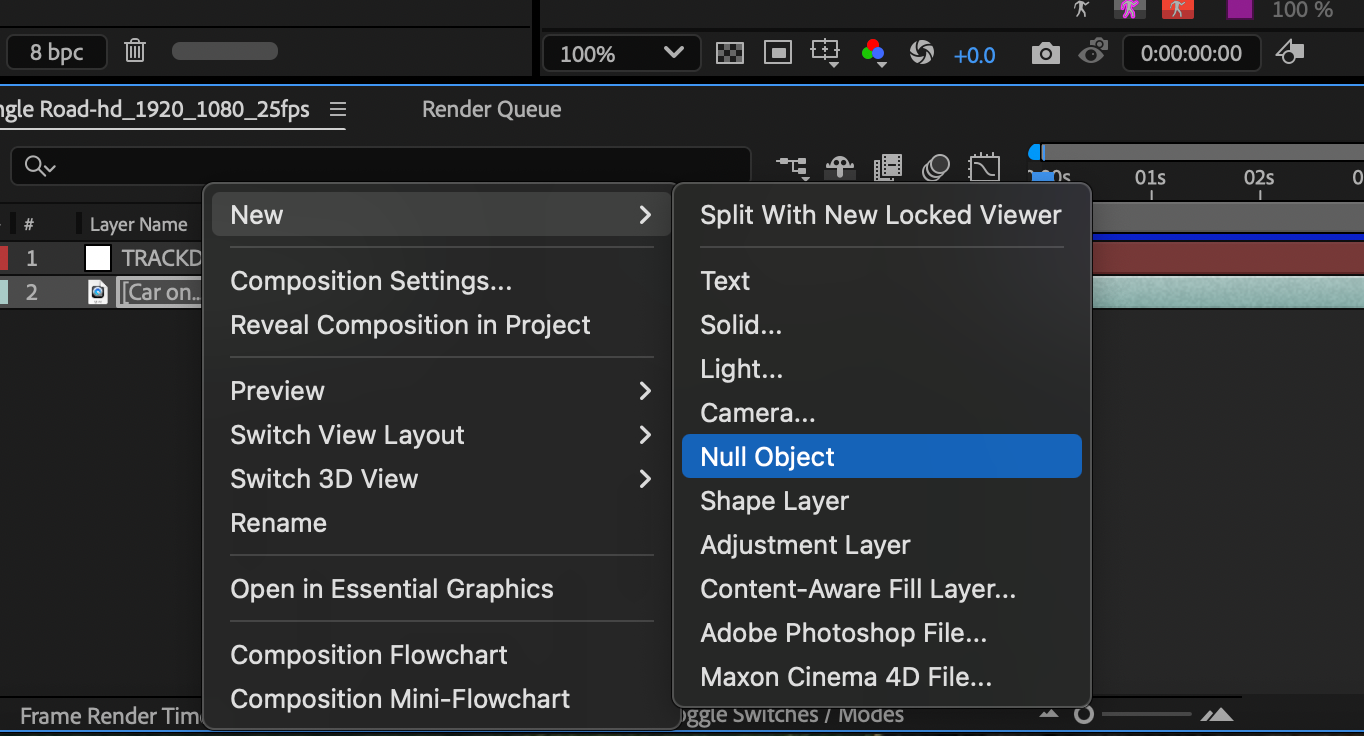
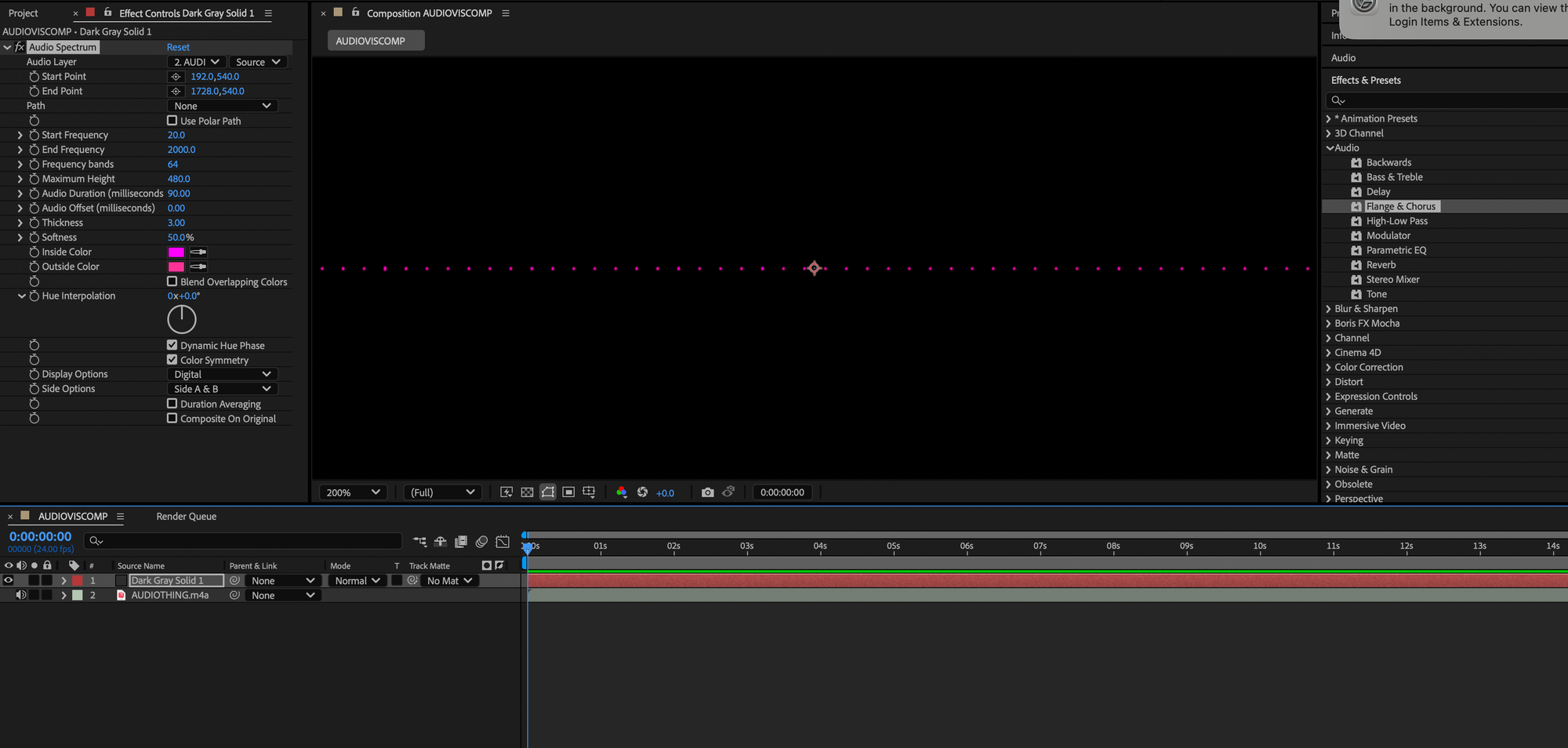
From there I looked at adding audio to the overall piece and the way we did this was through after effects audio aspect. If I'm being honest I didn't even know you could input audio in after effects this way; not just audibly but visually. We first had to make a null/ solid object as a way for the sound to be seen visually and then we imputed the sound. There was many different options on how you wanted your sounds wavelength to be presented but I chose white as it matched the idea I was going for.
Below is my final rendition after the motion graphics tutorials and I did later add a night vision looking screening of colour to it as well as some more sounds to add ambience. [All of the sounds and videos I used are royalty free - linked here: https://mixkit.co/free-sound-effects/technology/ (sounds), https://www.pexels.com/search/videos/car%20on%20road%20jungle/
We also looked at how we can move a graphic in after effects; we had to make it move along a path. To do that I drew the path using the Pen tool and moved my lizard drawing along the line, making time stamps as I went (the gecko is below).

(Final below)
It's definitely harder than it looked but I did enjoy it and I think if I'd of had more time to refine it, it would've looked a lot better. I only briefly looked at references so that would be a future need in this case.
