5.2.5 Four by Six
Choose ONE Brief and ONE Outcome from the options below. Your task is to develop a proposal for a project that combines these two choices
Depth of Motion: Return to your moving image project from last year. Keep the subject and concept, but increase the complexity of your approach. Use the motion graphics, animation, or projection techniques from this module to add depth, sophistication, or technical ambition to the work.
Interaction: Something that responds to user input or environmental factors. This could be web-based interaction, a physical installation with sensors, an interactive prototype, or a system that reacts to data or behaviour.
Final 4.4 Moving Image Submission
For 4.4 Moving Image I did a frame by frame animation inspired by ‘Feeling My Way’ by Jonathan Hodgson (1997). Feeling my Way takes us down Hodgson's walk to work where he animates the urban environment around him. I used Adobe Animate to do the frame by frame animation.
Touch Designer using a midi controller within the software.
While browsing on social media I had seen multiple posts showcasing using a MIDI device to create visual effects. I realised when Ash was showcasing different websites, she showed a website called Korg. Korg are a music hardware producer and my dad owns a Volca Bass Mini.
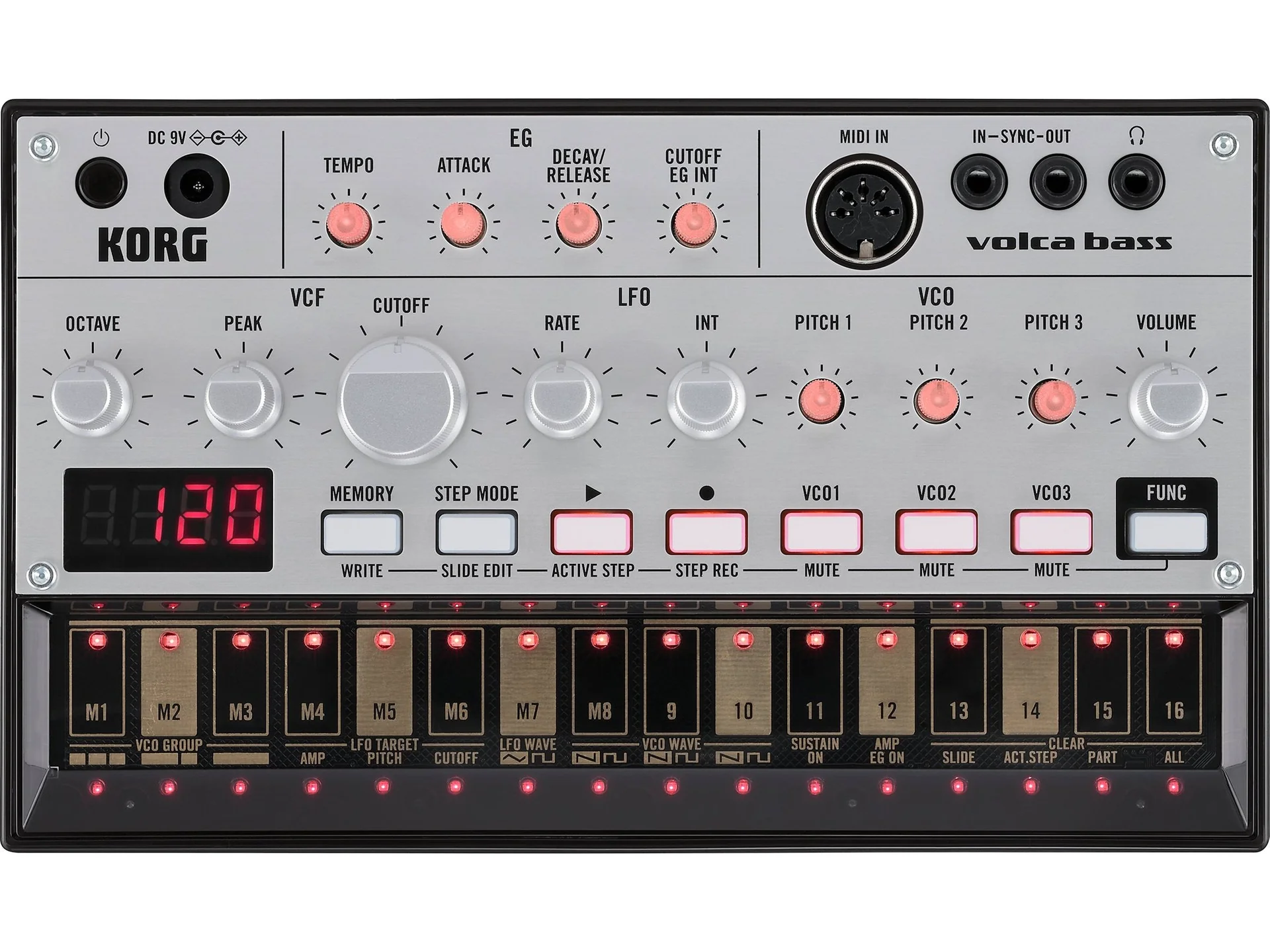
The Volca had a onboard battery, so at first I played around with it until I felt comfortable enough to take it into my work. After plugging the device in I realised that I needed a connection to go from the Volca to my PC. After getting a Motu Midi Controller I connected it all up to my PC.
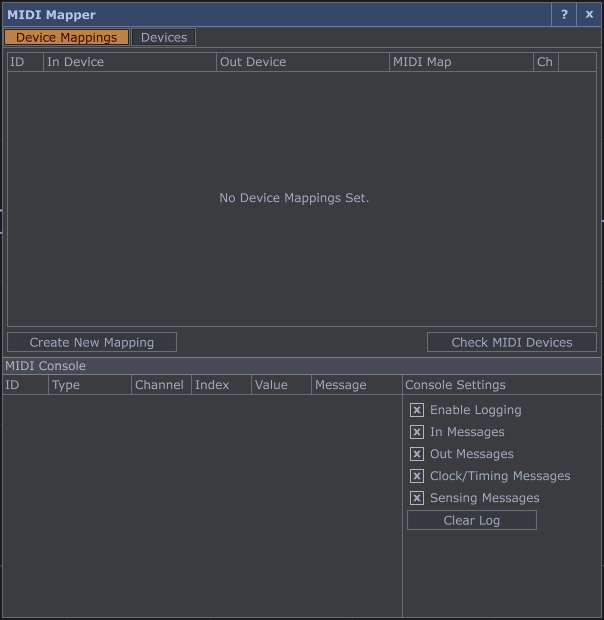
After setting it up as a MIDI device within Touch Designer I realised that it had no output to detect which keys were being pressed due to only having a MIDI in and not both.
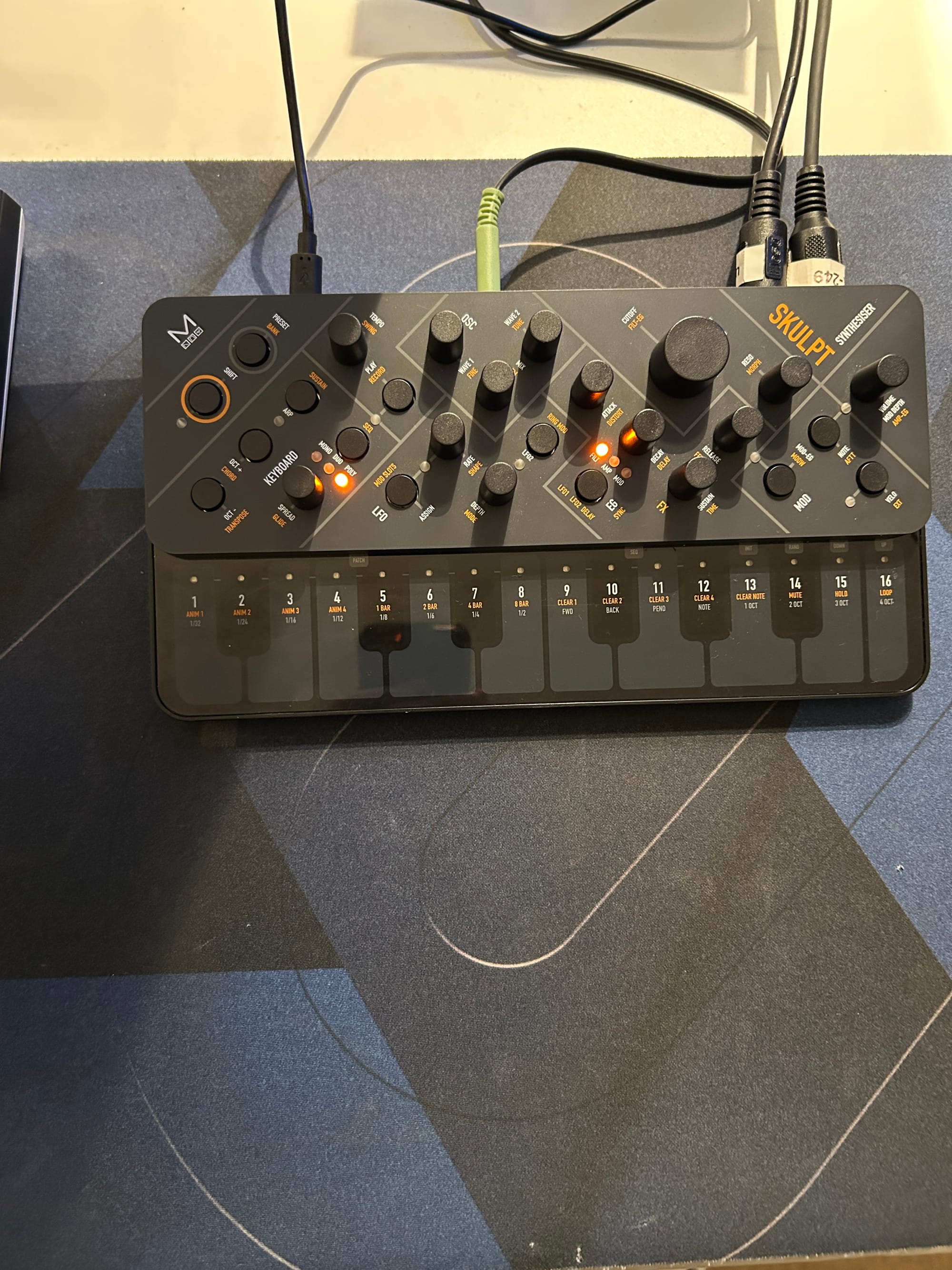
At one point I thought my idea was not possible however, I found a synth which had both MIDI in and out. This allowed Touch Designer to be able read the device and make me be able to map each key.
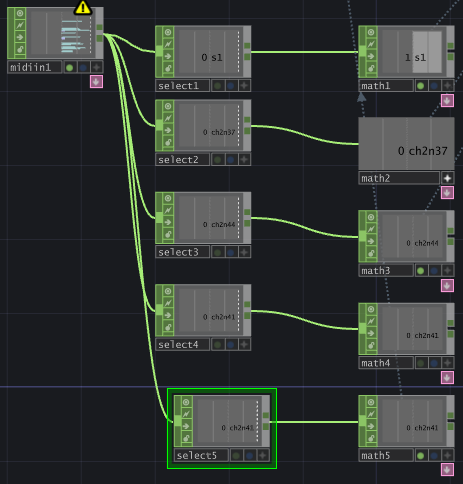
For the Chops it was fairly basic but time consuming. The usual method would be to create a MIDI map, where it allows you to map everything on the Synth. However, I could not get this to work so instead I used a Select Chop. I mapped 5 separate keys and applied a Math Chop after. The math chop allows you to have varied values and causes the visual change for the video.
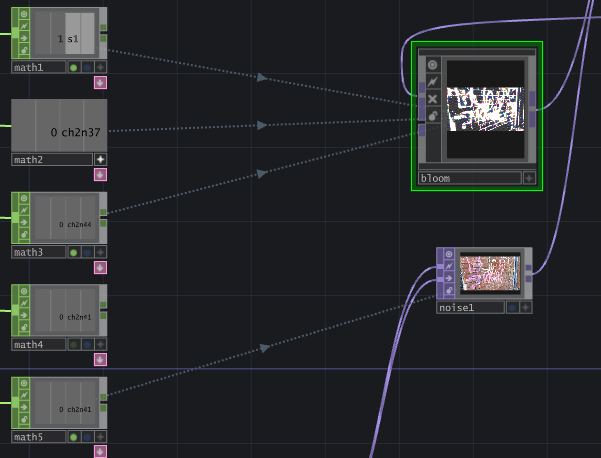
The Math then goes into the noise TOP and the bloom effect. Each math CHOP had a different value so it would create a more variable outcome.
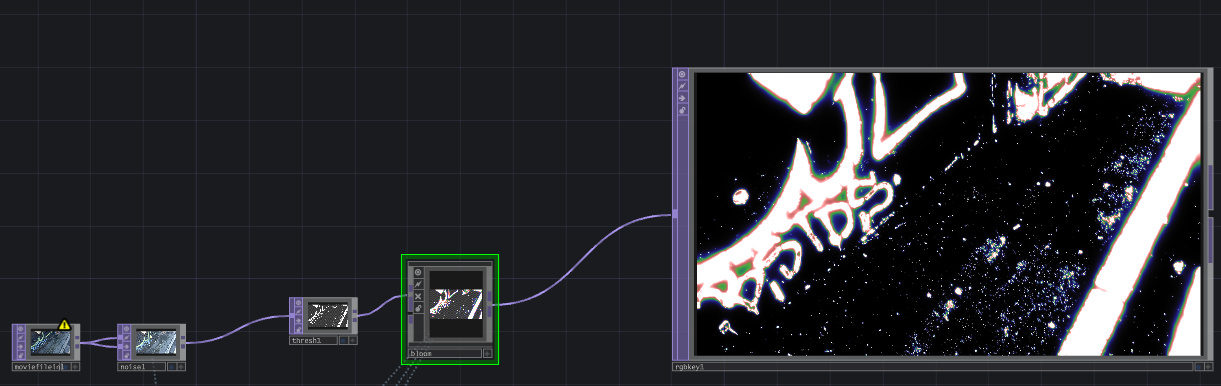
This was the final TOP's used. Movie file in> Noise> Threshold> Bloom> RGB key.
Final Midi Composition showing how the inputs change the video.
I made two separate recordings, one using OBS for recording Touch Designer, my phone to record me playing the synth. I combined the clips using After Effects and aligned it to create a social media style showcase video.
Final Outcome:
Combined 4.4 5.2.5 in After Effects.
I layered both clips together and used a blending style to create a trippy visual effect similar to Weirdcore who was referenced earlier. I was happy with my outcome for each individual project, although I personally think that it looks slightly cluttered with the two projects put together. One part I would improve is the implementation of sliders using knobs, if I can get it to work.