5.2.3
What parts of your practice make you feel most engaged and creative? - Where do you find flow, momentum, or excitement in the process?
In my opinion where I find the most momentum is when creating prototypes and trying out new software and ideas. When first using Touch Designer I had so much momentum and helped me draft out so many different ideas and methods I could use within the software.
When do you ‘actually’ feel like you’re designing? - Think about the moments where you switch from ‘doing tasks’ to ‘making decisions.’
When I actually feel like I am making decisions and design choices is usually after my first draft of a project has being complete. It allows me to reflect and use peer work to understand how to improve my initial idea. I can also reflect as a designer and decide what needs improvement or refining.
What pain points do you identify in your own workflow? - Where does work get stuck, messy, repetitive, confusing, or inefficient?
I would say getting my initial idea can be difficult. I try to look for inspiration but sometimes I just cannot find a consistent theme to carry on through my work. I especially struggled in 5.1 mainly because it was the first typography only project. Not being able to use colour or image was a major curveball for me.
What tasks or steps feel like obstacles to designing? - Where does your energy dip? What slows you down or pulls you out of the flow?
Personally for me it is the documenting stage. Documentation feels tedious and continuous without a reward. One issue I have with documentation is me doing the majority of it towards the end of the project. One method I could use, is doing it slowly over the course of the project, however I find it difficult to start my process document, as motivation runs low while doing it. Another part I find difficult is staying focused on one specific objective. Staying on track without going on my phone to check social media or message friends is something that massively slows me down. Within 5.2.3 I want to be able to find a app that will help me improve my work flow.
Idea Generation (Change from Pinterest)



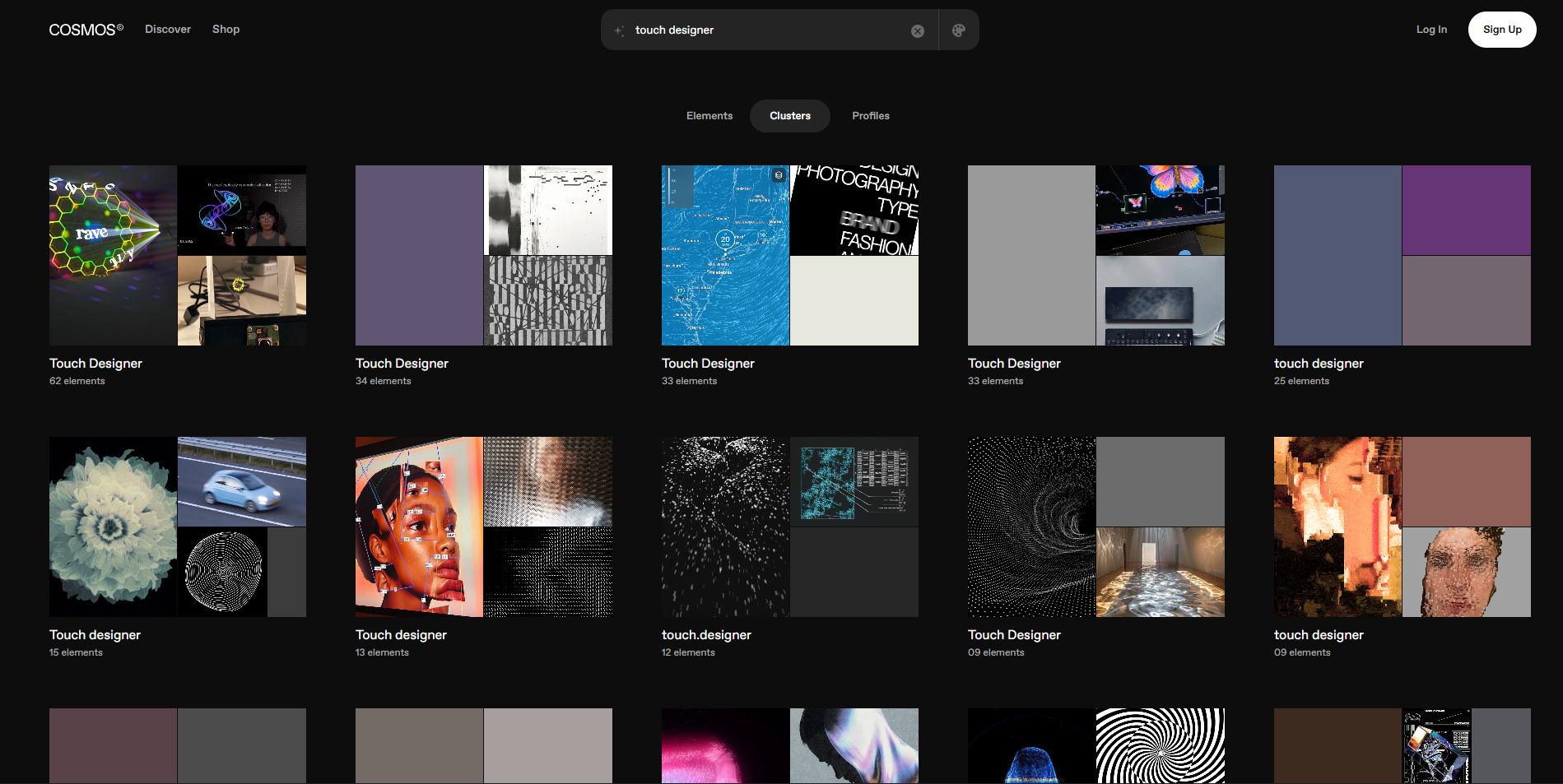
Cosmos is a improved version of Pinterest. Its aim is to focus designers and cuts out the built in ads and gives the user a more refined feed. You can find other peoples' boards and inspiration and use them to boost your own personal design.
Pinterest covers a large majority (it includes the general public) and can also have a lot of unrelated content when searching feeds. When searching on Cosmos however you get clear tags, from who it was made, how it was made and where it is from. This can intertwine with the research and process stage, as finding credit on Pinterest can be difficult at times.
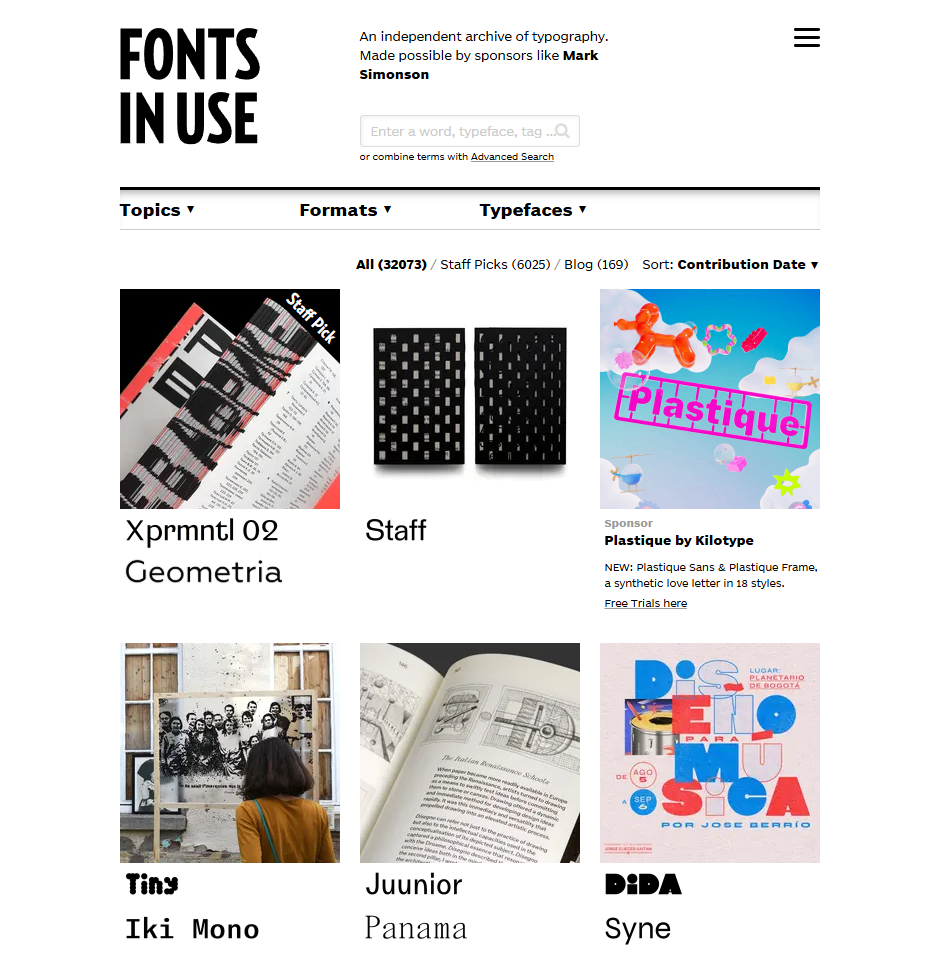
During 5.1, as a group we were introduced to the site Fonts in Use. This site is focused solely on typography and shows how different typefaces have being used in situations. After finishing 5.1 I realised that I needed to think more about my typographic choices especially body copy.
This site gives me clear and creative ideas on how I can use body copy and also type within my design, creative but carefully chosen at the same time.
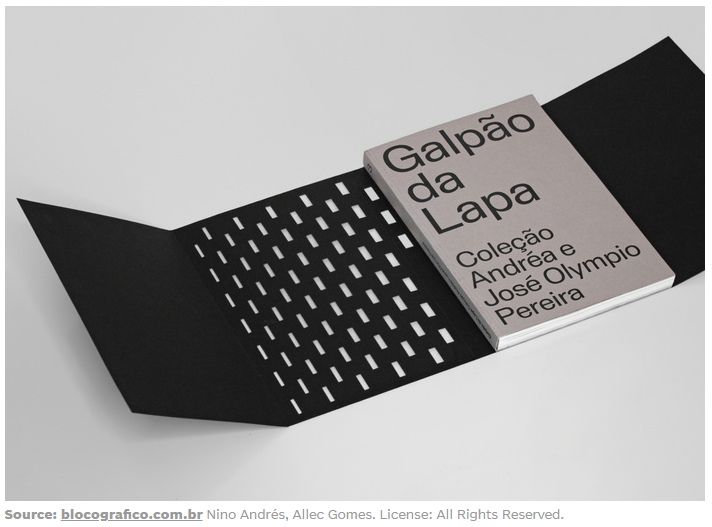
It also shows how different covers and binding methods are used. This gives a
full tour on how the book was constructed, why it was made and the meaning
behind the creative intent. Also as a designer I would say my physical work and understanding of print needs a boost so this site can also help me improve in that department as well.
 Dani Di Placido
AI tools, Sora, Grok, Adobe Co Pilot all have introduced a AI generation tool. Generative AI is extremely damaging for the craft, as people take original ideas and run it through AI to get their own personal image despite the original creator getting no credit.
The biggest example of this recently is the Studio Ghibli trend. In early 2025 people were using Open AI to create photos that resembled the iconic cartoon look. For me it really highlighted how disposable art is becoming. The iconic style of the films becomes mass generated "art" that doesn't take any time or skill it just takes away from the original creator. The original creator Hayao Miyazaki said at a press conference, that he was "Utterly disgusted" and "I would never wish to incorporate this technology into my work at all".
However this highlighted another key issue with AI. After millions and millions of these images were churned out by Open AI, when other users made an unrelated AI generation it caused a yellow filter to appear due to the database constantly using the Studio Ghibli to generate more images.
AI generation can only go so far. It cannot create new ideas, and only has previous ideas created by creatives, designers and artists.
I still think AI should be used within design but not for creation. It should be used as a tool, like in Photoshop the select tool uses AI to mask the object quicker instead of you having to do it by hand. Rotoscoping has also become far easier with the use of AI to mask frames at a much faster rate. I also think AI can be used as a learning tool if stuck or for summarising information.
Recently I have started to incorporate code within my work and if I cannot find a solution using YouTube or other sources AI is really useful for looking for a quick answer. On the other hand I think we need to become less reliant on using AI at any given moment, authentic design with thought and time put into to it will always be valued more than AI generated media.